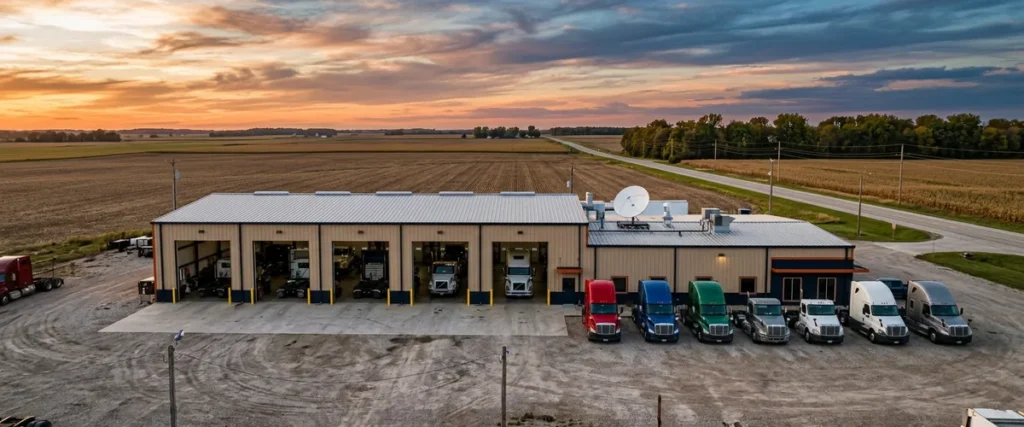

A rural truck dealership without fiber usually chooses between fixed wireless, 5G or LTE cellular, and low-earth-orbit satellite internet. Pick the one with the steadiest connection and enough upload, then test it on real store work before the branch depends on it.
Last updated: October 30, 2026
The fiber map ends somewhere. Plenty of truck branches sit just past it.
That’s not bad planning. Truck dealers build where the freight runs, so you get a service building off an interstate exit, six or eight bays, a parts counter, a gravel lot full of tractors, and a county road that the cable company never got around to. The store does real volume. The internet line coming into it was usually whatever the last owner could get.
I started out on the dealership side, writing service and working parts before I ever moved over to the software side. What I learned at the counter is that people on the floor will forgive a slow system once. They won’t forgive one that drops halfway through a repair order. And by the second or third time it happens, they’ve already built a workaround, usually a notepad and a phone call to the main store, and that workaround sticks around for years after the line gets fixed.
This post is about the primary line at those stores: what your options really are when fiber isn’t one of them, what your DMS and phones need from each, and how to prove a line works before the branch has to live on it. It’s one piece of the bigger picture we cover in IT support for heavy truck dealerships.
We’ve seen the pattern at a lot of the 2,000-plus dealerships we support. One example is a 12-location heavy truck group in the Southeast with frequent outages at its rural stores and a one-person IT team trying to cover all of it. The fix started with the network and hardware at those stores, not with telling the branch to be patient. Nobody at a rural store needs patience. They need a line that holds.
What a Rural Truck Store Needs From Its Internet Line
Rural truck dealership internet is the primary circuit that connects a store outside fiber and cable coverage to its DMS, OEM parts and warranty systems, phones, and card terminals. For a parts counter and service drive, a steady connection with low delay and few dropped packets matters more than raw download speed.
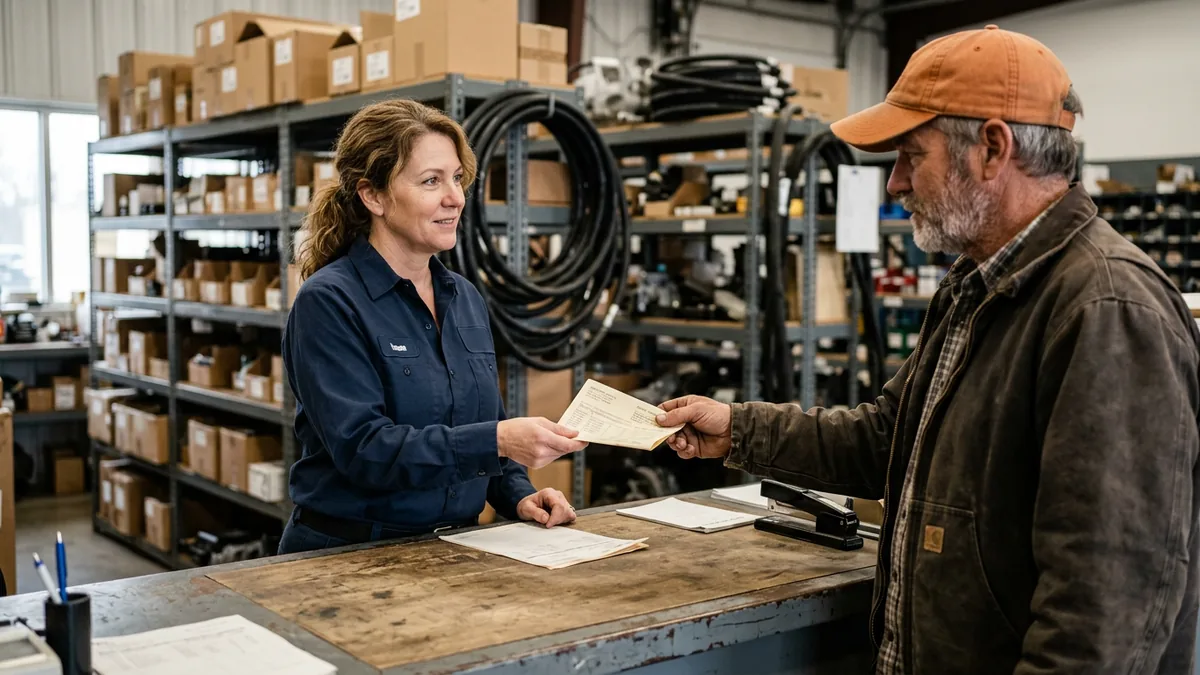
Picture the parts counter at 7 a.m. A driver’s standing there with a part number. The counter person checks stock at three other branches, pulls the OEM catalog, and prints a pick ticket, usually inside a minute or two, and every one of those lookups crosses the internet line. Now put a two-second stall in there every few minutes. That minute becomes five. The driver notices long before anybody in the office does, and time is money for the driver too, because that load doesn’t move until the truck does.
Service is hungrier. Think warranty claims with a dozen photos attached, technician time punches, and diagnostic software updates big enough to measure in gigabytes. Upload gets the worst of it, and upload is exactly where rural plans skimp. In March 2024, the FCC moved its own benchmark for fixed broadband to 100 Mbps down and 20 Mbps up. I’d call that a floor for a working truck store. Not a goal.
And the phones. Oh, the phones. When a store runs internet-based phones, every call shares the same line as the parts lookups, and a voice call has almost no patience for delay. According to the ITU’s Recommendation G.114 on transmission time, keeping one-way delay under 150 milliseconds leaves most applications essentially unaffected. Above that, people start stepping on each other’s sentences. A fleet manager who has to repeat everything twice is already dialing the next dealer.
So what do you ask a provider for? Four numbers and one yes-or-no:
- Latency at 8 a.m. on a weekday. Not at 2 a.m.
- Jitter, meaning how much that delay bounces around. Phones hate a bouncing delay even more than a high one.
- Packet loss. Even 1 or 2 percent shows up as frozen DMS screens and calls that cut in and out.
- Upload speed in writing, plus any data cap or “priority data” limit buried in the plan.
- A public IP address of your own? Yes or no. More on that below.
Speed sells the plan. Steadiness runs the store.
Your Options When Fiber Isn’t on the Map
Before you call anybody, look up the store’s exact address on the FCC National Broadband Map. It lists the providers that report service at that location, by technology, along with their advertised speeds. It’s what providers claim, so you’ll still confirm with them directly. Still worth it. It saves a lot of phone calls, and it’ll often turn up a small local wireless company you never heard of.
| Option | How it reaches the store | How it feels at the counter | What to watch |
|---|---|---|---|
| Fixed wireless | Radio link from a provider’s tower to an antenna on your building | Close to wired when the signal path is clean | Line of sight, trees, tower congestion, how fast the provider repairs a tower |
| 5G or LTE cellular | A business cellular router on a carrier’s network, such as Verizon, AT&T or T-Mobile | Good to uneven, depending on signal and how busy the cell tower is | Signal inside a steel building, data caps, shared public IP |
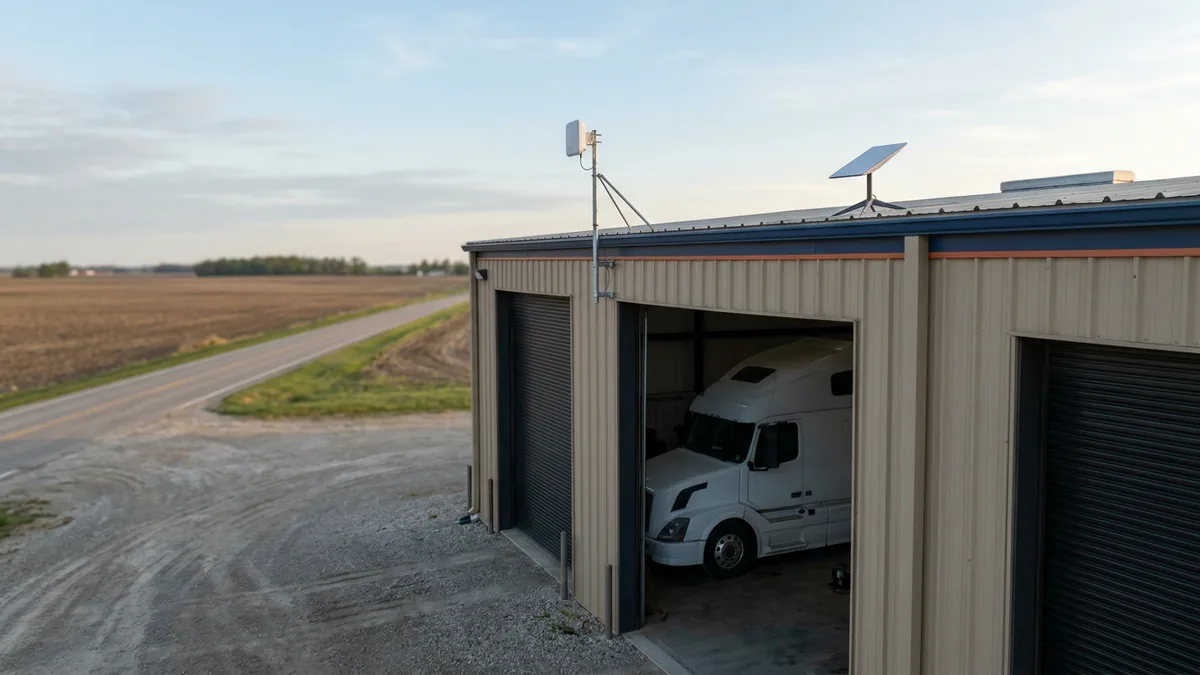
| Low-earth-orbit satellite | A dish on the roof talking to satellites a few hundred miles up, such as Starlink business plans | Usable for a hosted DMS in most cases, with occasional brief drops | Clear view of the sky, snow and heavy rain, priority data limits, shared public IP |
| Geostationary satellite | A dish aimed at a satellite about 22,000 miles up | Sluggish. Every click waits on a long round trip | Rough on phones and remote sessions. A last resort |
| DSL | Copper phone lines | Steady but often too slow, especially on upload | Distance from the phone company’s office, aging copper |
Fixed wireless
When a local wireless provider has a tower with a clean view of your roof, this is often the best primary line a rural store can get. The antenna gets mounted high on the building, it links to the tower, and on a good install it behaves a lot like a wired connection. The questions are practical. Is there a grain elevator or a stand of pine trees between you and the tower? How many other customers share that tower at 8 a.m.? And when a storm takes the tower down, does the provider have a crew within an hour or within a week? Ask around. Get references from other businesses nearby, not homes.
5G and LTE cellular
Cellular is the easiest to get running. Router, SIM, done. It’s also the most likely to vary hour to hour, because you share the tower with every truck driver at the fuel island next door and every phone on the highway. Steel buildings don’t help. Neither does a metal roof. If cellular is your primary line, mount an outside antenna, check the signal where the router actually sits, and read the plan’s data terms carefully, because a few days of software downloads in the shop can eat a cap fast.
Low-earth-orbit satellite
This is the option that changed the conversation for a lot of rural stores. Low-earth-orbit satellites sit close enough to the ground that the delay is a small fraction of old-style satellite, which makes a hosted DMS and internet phones workable from places that had nothing usable a few years ago. The dish needs a wide, clear view of the sky, so it usually goes on the shop roof, away from the stack and the wash bay. Expect short dropouts now and then as the connection hands off from one satellite to the next, and read the fine print on priority data, because a plan that slows you down after a set amount each month will do it right in the middle of a busy week in the shop. Starlink is the name most dealers know, and its business plans are a real option. Test it anyway. Same as everything else.
One honest note on geostationary satellite. Skip it if you can. The signal has to travel roughly 44,000 miles up and back before your request even reaches the internet, which works out to close to half a second just in travel time, every single click. Fine for email. Not for a parts counter.
Pick the line by how it acts on a busy Tuesday, not by the number on the brochure.
What Your DMS, Phones, and Card Terminals Need From Each
Whether your store runs Karmak Fusion or Procede Excede, and whether the system is hosted by the vendor or sits on a server at the main store, every branch reaches it across that internet line. A hosted DMS is less forgiving of a shaky connection than people expect. Why? Each screen is a conversation with a server somewhere else. Ask your DMS provider for its published connection requirements and test against them. If you need help reading those against a rural circuit, our team does that every day for Karmak dealers and Procede stores.
Then there’s the detail that trips up more rural installs than anything else. Many cellular and satellite plans don’t give your store a public IP address of its own. You share one with a lot of other customers behind the carrier’s equipment, a setup called carrier-grade NAT. Browsing works fine. Email’s fine. But the secure tunnel back to the main store, remote support sessions, some camera systems, and some phone systems can struggle or fail outright behind it. Ask before you sign whether the plan offers a public or static IP, and what it costs. It’s usually a small line item, and it saves a big headache.
Card terminals are the quiet ones. Nobody thinks about them. If they run over the internet, a dropped line at the parts counter means a driver who can’t pay for the part in their hand. Find out how your terminals behave offline, and make sure somebody at the store knows the backup process without having to call anyone.
The cleanest setup we see is simple. The store’s firewall and network gear are configured the same way at every location, the rural line plugs into that standard build like any other circuit, and nobody has to remember that “the Starlink store is different.” That consistency is a big part of what our dealership network services are for.
Different line, same standard.
Test It on a Real Repair Order Before the Branch Depends on It
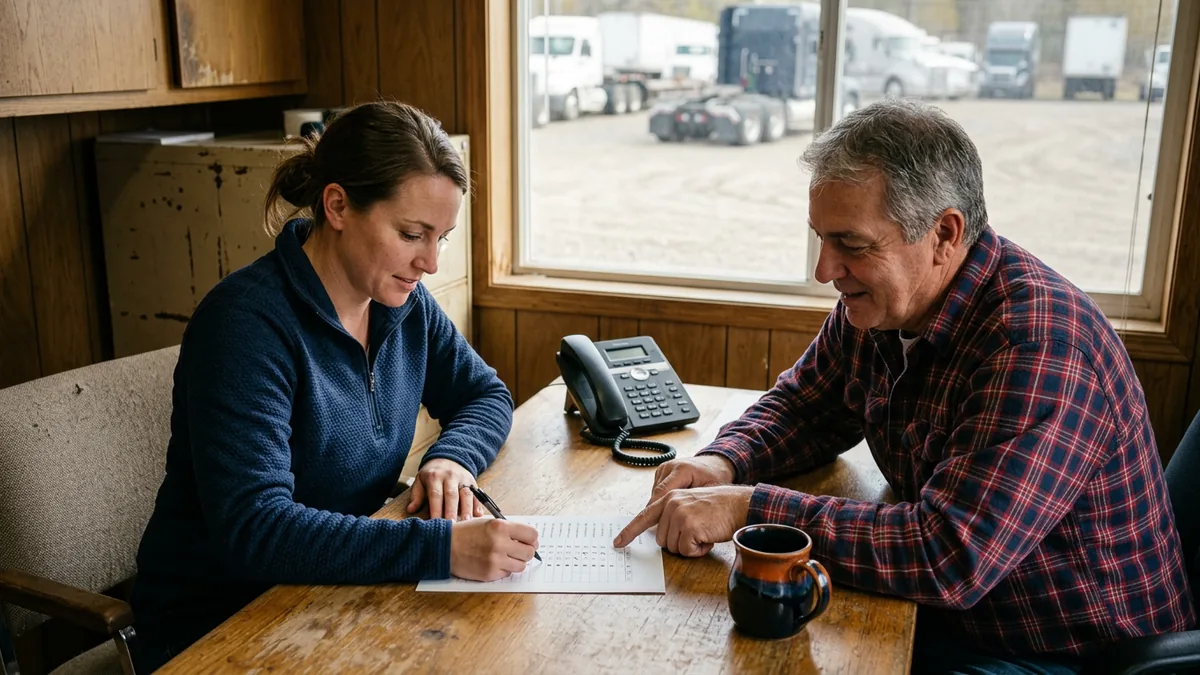
When I worked with a multi-rooftop dealer group moving more than 30 stores to a new DMS, one habit made more difference than any checklist. Before a state’s tax settings rolled out to every store, we tested them on a real deal, sitting with the F&I manager. Not a demo deal. A real one. Same idea here.
A speed test on a quiet afternoon tells you about as much as judging a tractor by its top speed on an empty road. What you need to know is how it pulls a full load up a grade. So run the new line next to the old one for a couple of weeks if you can, and put real work on it:
- Open and close a repair order, start to finish, at the busiest hour of the morning.
- Have the parts counter look up stock at another branch, then print the pick ticket.
- Place a handful of real calls to the store and out of it, and listen. Choppy? Talking over each other?
- Submit a warranty claim with photos attached. That’s your upload test, and it’s the one rural lines fail.
- Download an OEM software update in the shop while the counter is busy, and watch what happens to everyone else.
- Run a card on the terminal.
- Leave a monitor pinging the line around the clock, and check it after the first bad storm.
Ask the people on the floor how it felt, too. The parts manager will tell you more in one sentence than a week of graphs. That’s the real work, and it’s how a branch gets set up for success instead of finding out on a Monday with a lot full of trucks.
Prove it on Tuesday’s work before Tuesday depends on it.
One Good Line Is Half the Plan
Every connection drops eventually. Every one. Fixed wireless towers lose power, cellular gets crowded, satellite blinks in a heavy storm. The stores that keep writing ROs through it have a second way online that uses a different path from the first, plus a written plan for what the counter does when both are down. Pairing a line that runs on the ground with one that runs through the sky is a common pattern for rural stores, because the same storm rarely takes out a tower and a satellite link in the same way at the same moment.
We cover how branches tie together, and how traffic is split between them, in our guide to the multi-location truck dealership network. The paper side of a bad day, what each department does while the DMS is unreachable, is in our DMS outage plan guide. And if your branches are hours from the nearest technician, remote branch IT support covers what should already be sitting in the network closet.
This post is about choosing the first line well. Choose it well, and the backup gets a lot less work.

What Truck Dealers Ask About Rural Store Internet
Is Starlink good enough to run a truck dealership branch on?
Fixed wireless vs. cellular: which one should be the main line?
How much internet does a rural truck store really need?
Our DMS keeps freezing at the branch. Is it the internet or the DMS?
Can we wait for fiber to show up instead?
Start With What the Store Actually Runs On
The best rural line isn’t the fastest one on paper. It’s the quiet one. The one your parts counter stops talking about. When the connection holds, the people on the floor quit building workarounds, and the efficiency you paid for in the DMS finally shows up at the branch too. Workarounds need to be left in the past, and a steady line is how that starts.
If you’d like a second set of eyes on what each of your stores is running on today, our team can look at every circuit, the gear behind it, and how it holds up during business hours. Start with a complimentary IT and cybersecurity assessment, and we’ll show you which stores are ready and which ones are one storm away from paper repair orders.