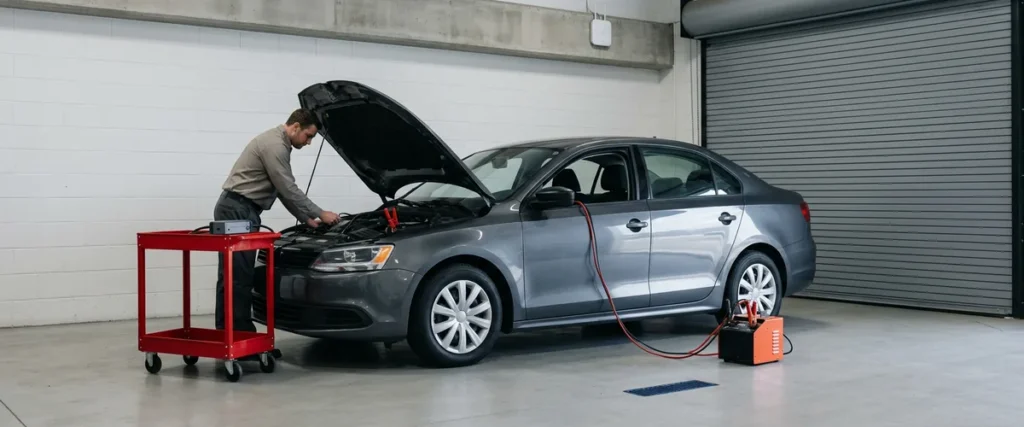

Vehicle flashing over shop Wi-Fi only works reliably when the network holds for the whole session: steady signal at every lift, bandwidth for every cart flashing at once, a wired drop where the OEM asks for one, and backup internet.
Last updated: November 3, 2026
Most network problems in a shop are just annoying. A printer drops off, a tablet loses signal on the drive, somebody walks back inside to finish a write-up. This one is different, because the thing that breaks is bolted into a customer’s car.
When a technician flashes a module, the laptop on the cart is pulling software from the manufacturer’s servers and writing it into the vehicle, and that session leans on the network for every minute it runs. If the connection stutters at the wrong moment, the module may not come back. Then the dealer is ordering a part nobody planned to buy, the bay is tied up for the rest of the day, and the customer who came in for a recall is asking for a loaner.
I said it on a content call in October, about as plainly as I could. It can fry the whole computer system of the car. “That’s a huge topic,” I told them. “It doesn’t get talked about enough.”
I still think so. Dealers spend real money on diagnostic tools, OEM subscriptions, and trained technicians, and then run all of it over Wi-Fi that somebody hung years ago and nobody has walked since. Our page on service department IT covers the whole shop: laptops, logins, printers, and the drive. This post stays on one piece of it. The bay network, and what it takes for a flash to finish every time.

What Happens to a Module When the Network Blinks
Vehicle flashing, also called ECU reprogramming, is loading new manufacturer software into one of a vehicle’s control modules through a diagnostic laptop and an interface plugged into the car. The software comes down from the OEM’s servers over the dealership’s network, so the shop network is part of the procedure for as long as it runs.
GM is about as direct as a manufacturer gets on this. Its TechLink tips for Techline Connect warn that “if there is an interruption during programming, programming failure or control module damage may occur.” The same tips tell technicians, flat out, “Do not download or install the files wirelessly,” and say a hardwired MDI connection from the PC to the vehicle “ensures successful programming on newer architecture vehicles.” Read that twice if your shop flashes GM product over the air.
Not every OEM words it that hard. Stellantis says a reliable connection is “essential” for wiTECH to complete flashes. Cummins tells truck technicians to turn off power-saving on the laptop before downloading a calibration. Different brands, one idea.
So what does a ruined module cost? That depends on the module, the brand, and who ends up eating it, and I’m not going to make up a number for you. I can tell you who usually pays when the cause turns out to be the store’s own network, though. The store does.
An interrupted flash is a parts bill with your name on it.
Why Shop Wi-Fi Has a Harder Job Than the Showroom’s
Stand in the last bay with a laptop and look up. Steel lifts, a steel roof deck, roll-up doors, a parts cage, and a car on nearly every lift, all of it soaking up signal, so an access point that covers a showroom full of glass and desks can leave the back third of a shop limping along on one bar without anybody noticing until a flash in bay 9 starts running long.
The tools are picky, too. Very picky. GM’s Dealer Infrastructure Guidelines (version 21.1) say its MDI and MDI 2 interfaces don’t support RADIUS authentication and “are not compatible with an open, unencrypted wireless network.” The same document says “only enterprise-grade access points should be used.” So the shop’s wireless has to be planned around the interface boxes on the floor mats, not only the laptops on the carts.
The gear matters as much as the layout. I heard about one shop whose access points came from a big-box electronics store, and one of them needed resetting so often that it ended up wired to a light switch, so somebody could reset it without a ladder. That works. Right up until the access point resets during a flash. GM’s guidelines list consumer-grade access points as not supported.
Give the shop its own wireless plan.
What a Flash-Ready Bay Network Needs
The table below is the checklist we use on a shop walk, with the OEM document behind each line.
| What the bay needs | Why it matters during a flash | What the OEM says |
|---|---|---|
| Signal at every lift, checked in the bay with a device | Weak edges make sessions run long and drop | GM: enterprise-grade access points only |
| Bandwidth for every cart at the same time | Each programming session needs its own share of the line | Stellantis: 1.5 Mb/s for the first wiTECH client, 1.5 Mb/s more for each one after |
| A wired drop at the programming station | Takes Wi-Fi out of the session entirely | GM: don’t download or install programming files wirelessly |
| Firewall rules that let the OEM’s servers through | A blocked address or file type stops the download | Stellantis: named domains on ports 53, 80, 443, 541 and 514, and .zip files allowed |
| Internet that stays up, with a second line behind it | A circuit outage ends every session in the shop at once | Stellantis: speed and consistency are both essential |
| Guest Wi-Fi kept apart from the shop | Lounge traffic shouldn’t reach shop systems or crowd the line | GM: segment guest traffic with VLANs or a separate internet connection |
| Laptops that don’t sleep or update mid-session | A sleeping or busy laptop is an interruption too | Cummins: turn off power-saving when downloading a calibration |
Each line can be tested with a laptop in the bay and a look at the firewall.
Five Carts Flashing at 10 a.m.
Capacity is easy to miss, because one flash on a quiet morning works fine and nobody thinks to test four at once. Test four.
Stellantis’ published wiTECH 2.0 network requirements ask for 1.5 Mb/s of available bandwidth for each wiTECH client, so five carts flashing together need 7.5 Mb/s free on top of everything else the store is doing, and they recommend running a speed test “from multiple machines simultaneously to capture true network speed.” Run it mid-morning with the shop busy, not before the first repair order of the day. Then you’ll know.
Windows Update competes for the same line. Microsoft’s Delivery Optimization reference says the default setting “dynamically adjusts to use the available bandwidth,” and it gives IT policies that limit download bandwidth during business hours. Setting those limits on shop PCs moves patch downloads to the evening, when no module is waiting on the line. Let them wait.
Size the line for the busiest hour.
Wired Where It Counts
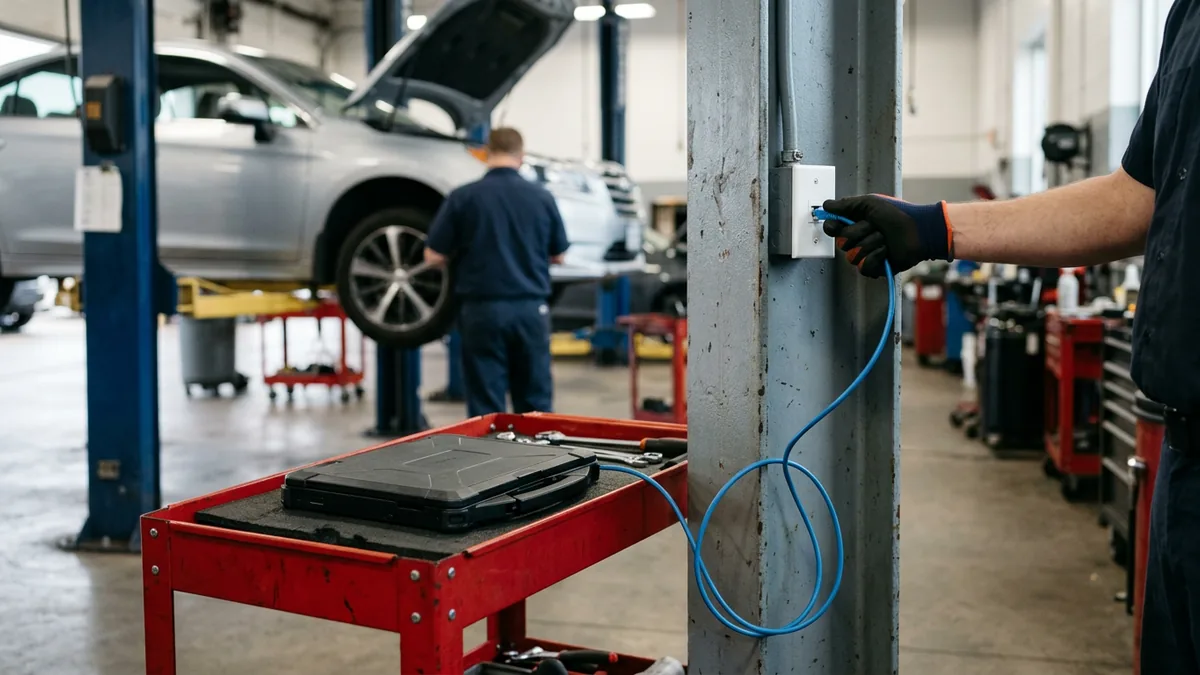
Wi-Fi is the right tool for most of the shop, since carts move and technicians walk between bays. Programming is the exception, because the cart stays parked beside the car for the whole session. It isn’t going anywhere.
A network drop at the two or three stations that handle most recalls and module work takes wireless out of the session for very little money. Cheap insurance. GM’s tips say not to download or install programming files wirelessly, and its guidelines recommend one laptop for each technician who performs service programming. Scans and repair procedures can stay on Wi-Fi. That’s fine.
Plug in for the flash. Roam for everything else.
Backup Internet, and a Fence Around the Lounge
Every cart in the shop depends on the same internet circuit, and when it fails, every session fails with it. All of them. A second line from a different carrier, set up at the firewall to take over automatically, keeps the shop working through a cut fiber or a carrier outage. Our post on truck dealership internet when fiber isn’t an option compares fixed wireless, cellular, and satellite as backup lines.
Then keep the lounge away from the shop. GM’s guidelines say dealerships “must ensure guest traffic is segmented from the dealership network through VLANs or a separate internet connection,” and they add a point a lot of stores miss: separate network names don’t separate traffic. A second SSID is just a second way onto the same network. Our explainer on GM’s dealer infrastructure and security guidelines covers how that split usually looks, and we’d add a bandwidth cap on guest Wi-Fi so the lounge can stream all it wants without eating the line the shop needs. Easy.
Two lines in. A fence around the lounge.
Heavy Truck Shops: Bigger Bays, Same Rule
Truck shops make every one of these harder. Much harder. The bays are taller and longer, the doors are bigger, and plenty of the work happens in the yard or out in a service truck. The engine makers’ software is just as particular. Detroit’s DiagnosticLink page lists a broadband connection of “typically 10Mbps or faster,” and when the software can’t reach its server, Detroit’s own troubleshooting points straight at the store: “something on the business network such as a firewall or proxy setting” may be the cause.
Its suggested test says a lot. Here it is. Connect through an outside network like a hotspot, and if that works, call your local IT administrator. Useful advice. It’s also a sign the shop network wasn’t built with the tools in mind. Cummins covers the laptop side in its INSITE 10.0 release notes, telling technicians to “turn off any power-saving features when communicating with an ECM, especially when downloading a calibration to it.” A laptop that dozes off mid-calibration has interrupted the session just as surely as a dead access point. If your techs take laptops on the road, our post on securing mobile service trucks and technician tablets picks up from there.
Same rule, bigger building.

A Two-Minute Check Before Every Flash
Print this. Tape it to the programming cart. It doesn’t replace the OEM’s procedure, which always comes first. It covers the power and network side that the procedure assumes is already right.
- Battery support connected and on. GM’s tips say battery voltage must be 12.5 volts or higher when programming any vehicle, and to hold it with an authorized programming support tool, not a battery charger.
- Laptop on AC power, with sleep and power-saving turned off for the session.
- Plugged into the bay’s network drop. No drop? Check the signal where the cart actually sits, not at the door.
- Pause other downloads on that laptop, including Windows updates and file sync.
- If several other carts are already flashing, start large downloads when the line is less busy.
- If the session stalls, stop and call whoever runs the network before restarting it.
Two minutes at the cart beats a day waiting on a part.
Who Owns the Bay Network?
When a flash fails, most service managers have four numbers to try: the company that installed the access points, the internet carrier, whoever supports the office PCs, and the OEM’s technical line. Each one checks its own piece. Each one says it’s fine. I see the same pattern at a lot of stores, with the network vendor pointing at the phones and the phone vendor pointing at the internet, and the dealer left with a problem nobody owns. In the shop, that problem is a customer’s car on a lift. That’s the difference.
An internet contract isn’t a plan for the shop, and neither is a consumer access point. One team that owns the whole network can look at a failed session and say whether the connection dropped. We do that for 2,000-plus dealerships as part of dealership network management, with the shop on the same standard build as the showroom. Same team, too.
When things aren’t going the way I want, I ask myself what am I not doing? For a lot of service departments, the answer is that nobody has tested the bay network with several flashes running at once.
One owner. One answer.

Questions Service Managers Bring Up
Can a technician flash a car over Wi-Fi at all?
Realistically, how much internet does a shop need for flashing?
Guest Wi-Fi in the lounge: does it really slow the shop down?
Is a phone hotspot a safe backup for a flash?
A flash just failed halfway. Now what?
The Car on the Lift Is the Real Test
I’ll say it one more time. The shop network doesn’t get talked about enough, and it’s the one place in the store where a weak connection can damage a customer’s car. A showroom can live with so-so Wi-Fi for years. A shop can’t. A service bay finds out the first time a module goes quiet halfway through an update.
If you want to know whether your bays would hold up with five carts flashing on a busy Saturday, our complimentary IT and cybersecurity assessment looks at the shop network along with the rest of the store, and you’ll get a straight answer either way. The cheapest module is the one you never have to replace.