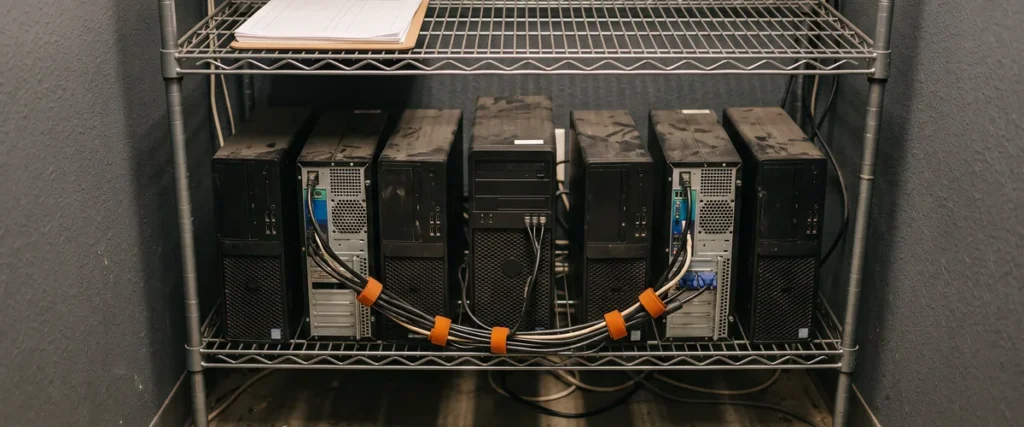

For dealership PCs, Windows 10 Extended Security Updates Year 1 ends October 13, 2026. After that date, each machine needs Year 2 at $122 a device, plus Year 1 if you skipped it, or it needs Windows 11.
Microsoft did push its free consumer program out to October 12, 2027, back in June. That extension doesn’t reach PCs joined to a company domain or managed by an IT provider, which describes most of the computers in a franchised store.
Tons of dealers still have Windows 10. Tons of them. I said that on a call this week and I’ll stand by it, because it’s what we keep finding when we walk into a store. Dealers run their computers until they die.
That’s the methodology, and for years it mostly worked. A PC that prints repair orders and loads the DMS doesn’t feel like it needs replacing. The trouble starts when the operating system underneath stops getting security fixes, and if your store never bought ESU, that already happened on October 14, 2025. Almost a full year ago.
We’ve spent nearly 30 years doing managed IT for car and heavy truck dealerships, and this is one of those deadlines that’s easy to miss because nothing breaks on the day it passes. The PC turns on. The DMS loads. The scan tool connects.
Nothing looks different.

What Actually Ends on October 13
Windows 10 Extended Security Updates, or ESU, is Microsoft’s paid program that keeps sending critical and important security patches to Windows 10 PCs after official support ended on October 14, 2025. Businesses buy it one year at a time, per device, for up to three years, and the price doubles every year.
That’s straight from Microsoft’s ESU documentation. What dealers tend to miss is the mechanics. Each year is its own purchase with its own activation key, and the key has to be installed and activated on every single PC. Buy Year 2 and never activate it, and the machine gets nothing.
It’s cumulative, too. Skip Year 1 and decide you want in now? You pay for Year 1 anyway.
| ESU option | Who it covers | Coverage ends | Cost per PC |
|---|---|---|---|
| Commercial Year 1 | Business PCs on Windows 10 version 22H2 | October 13, 2026 | $61 |
| Commercial Year 2 | Same PCs (Year 1 must also be paid) | October 12, 2027 | $122 |
| Commercial Year 3 | Same PCs, final year offered | October 10, 2028 | $244 |
| Consumer ESU | Personal PCs only, not domain-joined or centrally managed | October 12, 2027 | Free with settings sync, 1,000 Rewards points, or $30 |
| Windows 365 Cloud PC | Windows 10 devices connecting to a Cloud PC | Up to three years | Included with the subscription |
Look hard at that consumer row before anyone in the building gets clever. When Microsoft quietly extended it on June 25, BleepingComputer reported the free program still excludes PCs joined to an Active Directory domain, PCs managed through mobile device management, and Enterprise or Education editions. A store PC your IT provider manages almost always lands in at least one of those. And the program is for personal devices in the first place.
Where Windows 10 Hides in a Dealership
StatCounter’s September 2026 numbers have Windows 10 on 18.93% of the U.S. Windows desktops it measures. One in five, roughly. Dealerships run higher in our experience, and I’d bet yours does too, since nobody replaces a PC that still prints.
Want to find them? Walk the building.
- Service drive. The write-up station that went in at the last remodel and hasn’t been touched since, because touching anything on the drive during a busy month gets you yelled at.
- Parts, often with a third machine in back that only runs the catalog.
- Whichever bay has the laptop with the OEM programming software on it. These scare me the most. The vendor sets the pace, the tech swears it “has to stay like this,” and maybe they’re right. Get it in writing.
- Accounting. Look for the check printer.
- F&I. Credit apps, Social Security numbers, bank routing numbers. All day.
- The spare out in the used-car building that gets plugged in twice a year.
Heavy truck stores look the same, just with more laptops out in the shop. If you run a heavy truck dealership, count the bays as carefully as the offices.

The Safeguards Rule Never Names Windows, and It Doesn’t Need To
Start with the attacker, not the regulator. When Microsoft patches a Windows flaw, the patch itself shows researchers and criminals where the flaw was, and every Windows 10 machine not receiving that fix stays open to it indefinitely. One unpatched PC on the service drive sits on the same network as your DMS, your email, and your file shares. That’s a real problem.
CISA lists unsupported or end-of-life software on its short catalog of cybersecurity bad practices. They wrote it for critical infrastructure. The logic doesn’t care that you sell cars.
And yes, it’s an FTC risk. Something you have to take action on. I want to be careful here, because I’ve watched vendors overstate this to sell a product. The FTC Safeguards Rule doesn’t mention Windows, Microsoft, or any operating system anywhere in its text.
Here’s what it does require. Section 314.4(b) says your information security program has to rest on a written risk assessment that identifies “reasonably foreseeable internal and external risks” to customer information, and section 314.4(c)(2) says to “identify and manage the data, personnel, devices, systems, and facilities” the business runs on. A PC with no security updates, sitting in a building full of credit applications, is about as foreseeable as a risk gets.
The rule also wants vulnerability assessments at least every six months unless you run continuous monitoring. Any credible scan flags an unsupported operating system. Every time. Now think about what that means on paper. Your last assessment ran, the Windows 10 machines showed up in the report, and nothing changed. Your own paperwork now documents a known risk nobody acted on. Who owns that? Section 314.4(g) asks you to evaluate and adjust your program based on what the testing finds, and running PCs until they die isn’t an adjustment.
One more piece. If a breach involves 500 or more customers, the rule gives you no more than 30 days after discovery to notify the FTC, and I’d rather nobody in your store ever learns that deadline firsthand. The FTC’s own plain-language guide walks through the rest, and we keep our take on the rule on our FTC Safeguards compliance page for dealerships.
A Windows 10 Action Plan for Your Store
Early in my career I was one of three IT people supporting 100 actuaries at Aon. I loaded a module onto the servers to make file storage easier, and the server went down. My boss fixed it, then told me, “That worked out for us. If it hadn’t, you’d have lost your job.” I’ve planned before touching anything ever since, and a fleet of Windows 10 PCs deserves the same.
Count Every Windows 10 Machine This Week
Name, location, Windows version, whether it’s on 22H2, what it runs, and who logs into it. That’s the list. A PC that isn’t on 22H2 with current updates can’t take ESU at all until someone fixes that, so the count also tells you which machines need work before ESU is even possible.
Sort Them Into Three Piles
Most of the decision is just sorting.
- Upgrade in place, if the hardware meets Microsoft’s Windows 11 requirements, including TPM 2.0 and a supported processor.
- Replace. Old hardware that fails the check, or that you were going to replace next year anyway.
- Bridge with ESU, but only for machines with a real reason to wait, like a vendor certification or a replacement that’s on order, and every one of them gets a retirement date written next to it.
Buy and Activate Year 2 Only for the Bridge Pile
Do the math before the deadline. Not after. A store with 25 bridge PCs that already owns Year 1 pays $3,050 for Year 2. The same store, if it skipped Year 1, pays $183 a device to get current. That’s $4,575. Then it’s $244 a device for Year 3 if the work still isn’t done next October, which is a lot of money for machines you already decided to retire. We put ESU, Windows 11 replacements and the rest of next year’s costs into a 2027 dealership IT budget checklist.
Get the Vendor Answers in Writing
Ask your DMS provider, and every OEM whose software runs on a shop PC, one question. Is this supported on Windows 11? GM already answered in writing. Its Dealer Infrastructure and Security Guidelines list Windows 10 as no longer supported as of October 14, 2025. Many of the others will have the answer ready. The machines where the answer is “not yet” go in the bridge pile with a date attached.
Write the Exceptions Into Your Risk Assessment
Any Windows 10 PC that stays past October 13 needs a line in your risk assessment saying why, what protects it in the meantime, and when it goes away. Keep it off email and general web browsing. Put it on its own network segment if it can live there. Limit who signs in. Then name an owner, a real person, because “IT will handle it” is how these machines end up still running in 2028. If you want a second set of eyes on the controls, that’s daily work for our dealership cybersecurity team.

Buying a Store? Count Its Windows 10 PCs First
When dealers buy a dealership or a group of dealerships, they’re also buying the risks and problems that come with it from an IT standpoint. Sellers tend not to invest before a sale. If you’re a seller and you know you’re selling in the next six months, you’re not upgrading half your computers to Windows 11. Why would you?
So the buyer inherits them. Put the Windows 10 count in due diligence, price the replacements, and settle who pays before close. We’ve written more about how cybercriminals watch dealership acquisitions, and an unpatched fleet is part of that picture. Dealers don’t like that kind of stuff showing up after the deal closes.
Treat ESU as a Bridge
To be clear, I’m not telling you ESU is a waste of money. For a shop laptop waiting on an OEM update, a year of patches at $122 is cheap. The mistake is treating it like the plan, then buying Year 3 because nobody made a decision in Year 2.
Years ago an early client of ours ran their techs’ electronic dispatch on a $50 home wireless router. It went down constantly. I talked them into a corporate-grade device at ten times the price and the outages stopped, and I’ve lost deals since to cheaper bids. I’d give the same advice today. Cutting corners on hardware costs more later, every time.
All of our clients are on the same roadmap, so PCs get replaced on a schedule instead of on the day they die. With more than 2,000 dealerships and 35,000 end users supported, we can’t afford to find Windows 10 machines by surprise, and neither can you. We wrote about why upgrading to Windows 11 matters back in 2023. That clock has run out. If you’re setting that schedule now, our guide to the PC refresh cycle for dealerships shows when to replace each machine and how to budget it.
Questions Dealers Keep Asking About Windows 10 ESU
Our Windows 10 PCs still work fine. So what’s the actual risk?
Every new Windows flaw stays open on those machines for good. Because the PC keeps working, nobody notices. An attacker who gets onto one unpatched machine can use it as a foothold toward the DMS, email, and shared drives, the same way any logged-in employee would reach them.
Can a dealership just sign up for the free consumer ESU?
Usually not. Microsoft’s consumer program excludes domain-joined PCs, centrally managed PCs, and Enterprise or Education editions, and it’s meant for personal devices.
We never bought Year 1. Is it too late?
$183 a device gets you current, because Microsoft makes ESU cumulative and charges Year 1 at $61 plus Year 2 at $122. You can still buy it. Whether you should depends on how long that PC has left. For a machine you’d replace within a year anyway, the $183 is usually better spent as part of a new PC, and the old one should come off the network the day the new one arrives.
Does the FTC Safeguards Rule actually ban Windows 10?
No, it never names an operating system. It does require a written risk assessment, an inventory of your systems and devices, and regular vulnerability testing. An unsupported operating system shows up in all three, and leaving it unaddressed is the problem.
What about the shop laptop that only runs OEM software?
Bridge it, isolate it, and put a date on it. Get the OEM’s Windows 11 support status in writing, buy ESU Year 2 for that machine if the answer is “not yet,” and keep it off email and general browsing until it’s replaced.
Is Windows 365 a way around buying ESU?
Partly. Microsoft includes ESU for Windows 10 devices that connect to Windows 365 Cloud PCs, for up to three years with an active subscription. That can make sense for some roles. It’s also a new monthly cost and one more system somebody has to manage.
Where to Start
The deadline doesn’t care whether the PC still turns on. Count the machines, sort them, buy only what you need, and write the exceptions down. If you’d rather have someone else do the counting, our complimentary IT and cybersecurity assessment for dealerships is a good place to begin, or you can reach out to our dealership IT team directly.
Windows 10 isn’t getting any safer from here.