

IT support tiers are the levels a help desk ticket moves through. Tier 1 answers the call and fixes common problems, Tier 2 and Tier 3 take the harder ones, and outages go straight to engineers or a field technician.
Last updated: October 30, 2026
Nobody at a dealership calls the help desk and asks for Tier 2. They call because the F&I printer won’t print a contract, or a new salesperson can’t log in, or the internet just dropped at the body shop. The tiers are our problem to sort out. Not theirs.
Still, I think a dealer should know how it works behind the phone line. When you understand who picks up, when a ticket moves to someone else, and what should happen at each handoff, you can tell whether your provider is working the problem or just moving it around. Those look alike from the outside. They aren’t.
I lead Service Operations at Helion, which covers our service desk, systems engineering, field service, proactive managed services, and VoIP teams. This is how a ticket moves through those teams for the stores we support on our managed IT services for dealerships, written so you can hold any provider to the same standard, ours included.

What IT Support Tiers Mean at a Dealership
IT support tiers are a way of matching each problem to the right level of skill. Tier 1 is the first person who answers and handles the common issues. Tier 2 and Tier 3 are deeper technical levels for problems Tier 1 can’t close. Outside the desk sit systems engineers, network engineers, field technicians, and vendors.
The labels vary. A lot. Some providers say levels instead of tiers, some add a Tier 0 for self-service, and some call the vendor Tier 4. The federal government doesn’t use tiers at all. The Bureau of Labor Statistics splits the same work into user support specialists, the help desk technicians who “provide technical help to non-IT computer users,” and network support specialists, who “often work under the direction of network and computer systems administrators, who handle more complex tasks.” Different words. Same ladder.
Here’s roughly where dealership problems land.
| Level | Typical dealership problems | What you should see |
|---|---|---|
| Tier 1 service desk | Password resets, Microsoft 365 sign-in and MFA trouble, a new hire’s accounts, a stuck print queue in the business office | A live person, a ticket number, and usually a fix on the same call |
| Tier 2 and Tier 3 service desk | A DMS client that won’t launch on one workstation, a department that can’t reach a shared drive, a scanner the deal jacket process depends on | A handoff you’re told about, and nobody asking you to repeat the story |
| Systems engineering and networking | Internet down at a rooftop, a failed switch, the connection between stores, a server problem | Immediate escalation, a named contact, and updates on a schedule |
| Field service | A dead PC at the parts counter, cabling in the service drive, hardware that has to be swapped in person | Remote diagnosis first, then a technician who arrives knowing what to bring |
| Vendor escalation | A carrier outage, a Microsoft 365 incident, a problem inside the DMS provider’s own system | Your provider opening the vendor case and staying on it with you |
The table is the easy part. Real tickets are messier.
Tier 1 Answers Every Call
Every call to our help desk is answered by Tier 1. Every one. A live technician picks up in 82 seconds on average, and the help desk is open whenever dealers are open, 7 days a week.
Full disclosure, I have a soft spot for Tier 1. In 2021 I was the one posting the job openings for our remote Tier 1 service desk team, and we were open to hiring people located just about anywhere in the country.
Some folks think of Tier 1 as the people whose job is to keep you away from the real technicians. That’s backwards. A dealership’s calls repeat, and you’d recognize most of them: a locked account, a new hire who starts Monday and needs everything by 8, somebody who needs into the service department’s shared mailbox, an Outlook profile that decided not to open today. Our people fix those on the first call, working from written steps, so the fix you get on a Sunday is the same one you’d get on a Tuesday.
CompTIA’s write-up of the help desk technician role says they “track help requests using a ticketing system,” and that “for more complex issues, they may refer customers to advanced technical support.” That referral is the whole subject of this post, really.
Fix it on the call when you can. Write it down either way.

When a Ticket Moves Up the Service Desk
Our desk runs on a labor time guide. Think of it as a clock on each ticket. Once Tier 1 has spent the allotted time on a problem and it’s still not fixed, it goes up to Tier 2 or Tier 3 on the service desk, and “I’m almost there” doesn’t buy anyone another hour while the parts counter sits and waits.
Why a time limit? I get asked that. The alternative is worse for everyone. A technician who’s been stuck on something for a long stretch is usually stuck for a reason, and the person who knows that application, or that printer model, or that particular store’s setup, is one handoff away. Moving the ticket is not a failure. Holding on to it too long is. I’ve had to change how I look at this myself.
ITIL, the service management framework I’m certified in, calls this functional escalation: the ticket moves to a group with deeper skills. It’s different from hierarchical escalation, where a manager gets pulled in because something is going badly. A healthy desk does a lot of the first and very little of the second. That’s the goal, anyway.
Here’s what I’d expect from any handoff, ours or anyone else’s.
- You hear about it. “I’m moving this to a Tier 2 technician who works on DMS workstation problems” takes 10 seconds to say.
- The notes go with the ticket, so the next person starts from what was already tried instead of from zero.
- Nobody asks the controller to explain the whole thing again. Having to repeat it is a common frustration with escalation, and it’s fixable.
- One ticket number, start to finish.
CompTIA’s guide on using a troubleshooting methodology makes the same point from the technician’s side. Step 5 is “implement the solution or escalate as necessary,” and the last step is to “document findings, actions, outcomes and lessons learned.” It sounds like paperwork. It’s actually what keeps a ticket moving.
The escalation is only as good as the notes that travel with it.
Outages Skip the Line
Some calls don’t wait for a labor time guide. When the internet is down at a rooftop, or a whole department can’t reach the DMS, or a store’s phones go quiet, that ticket leaves the service desk right away and goes to our systems or networking engineers, or whichever team owns that piece.
The question that matters is how many people can’t work. One salesperson locked out is a Tier 1 call. Twelve people in the service drive who can’t open a repair order is an outage, and outages are worked by the people who can fix the circuit, the switch, or the server, with the service desk keeping the store informed while they do.
Sometimes the cause isn’t in your building at all. Microsoft, for example, publishes the state of its own cloud on a Microsoft 365 service health page, and it defines an incident as a critical issue where “the service or a major function of the service is unavailable,” like users being unable to send and receive email or sign in. Your workstations aren’t the problem then. Nothing on them will help. So we confirm it, tell the store in plain words, set up a workaround if one exists, and watch the vendor’s fix until it lands. A carrier outage works the same way, and so does a problem inside the DMS provider’s own system. We open the case. We stay on it. Your controller shouldn’t be on hold with three companies at once.
Security is a separate path again. Our security support runs 24/7, with live, US-based analysts monitoring dealers’ systems and stepping in the moment they see signs of an attack. That team doesn’t wait for anyone to call.
An outage should get faster, not slower, the more people it hurts.
When the Fix Needs Hands: The Field Technician
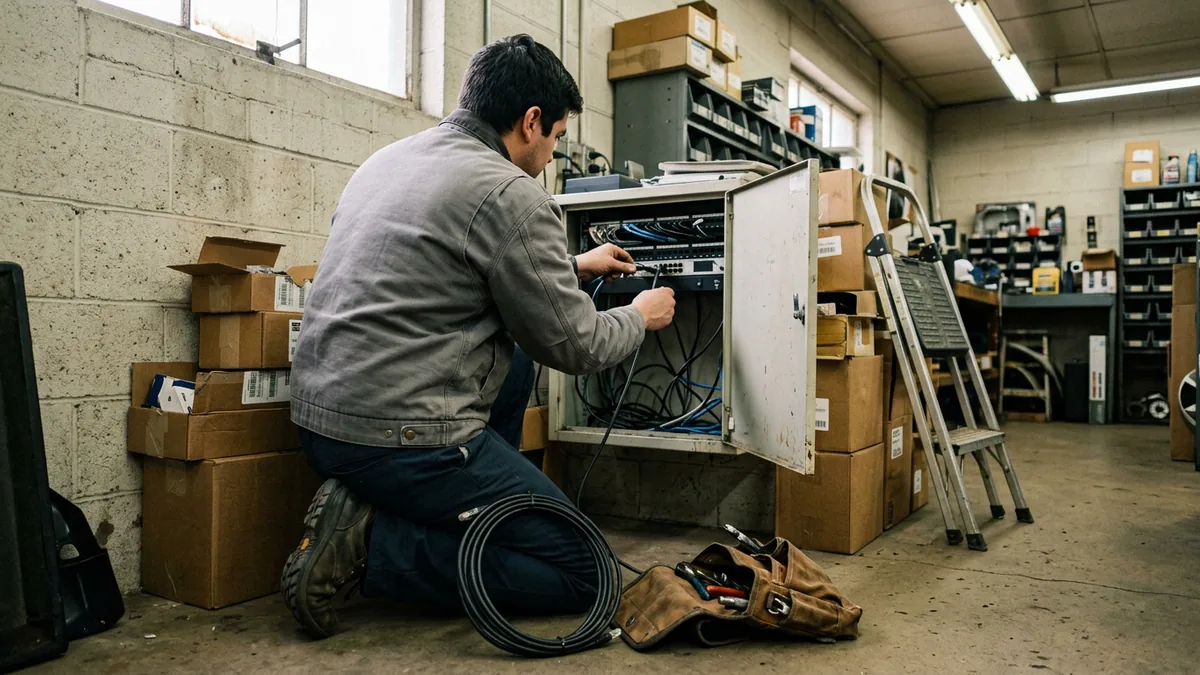
Some problems can’t be solved through a remote session. You need a person there. A PC that won’t power on, a network drop in the service lane that someone ran over with a floor jack, a switch that needs to be physically replaced. Those go to field service.
Before anyone drives out, our desk works the problem remotely. That surprises people. Why spend time on the phone about a box you already know is dead? Because that call tells the tech whether it’s the PC, the power strip, or the port on the switch, and which part goes in the truck, and who at the store will be waiting. I believe that’s the step people skip most and regret most. Skip it, and you’ve often bought yourself a second trip.
I won’t give you a single arrival time, and I’d be careful with anyone who does without knowing where your stores are and what failed. What I will say is that field support is included at no extra charge for the dealerships we support, and so is help with after-hours emergencies. Nobody at your store should have to decide whether a problem is worth the invoice before they call.
If you want the longer version of how we decide between remote and onsite work, I wrote it up in onsite vs remote IT support at the dealership.
Remote first. Then hands, with the right parts.
Support Tiers Aren’t the Same as Plan Tiers
This one trips people up. It’s worth a short section. Helion sells managed IT in three plans: Dealer Defender, Service Desk Plus, and Full Service. Those names describe what a plan covers. The Tier 1, Tier 2, and Tier 3 in this post describe how a single ticket moves once it’s open.
Different question, different answer.
What the Dealership Should See Along the Way
You shouldn’t need to know our internal structure to get good support. But you should be able to see the work. What problem are we actually trying to solve when a dealer asks about tiers? Usually it’s this: they called, something happened, and they don’t know what.
From the store’s side, a well-run ticket looks something like this. You reach a person. Quickly. You get a ticket number before you hang up. If it can’t be fixed on that call, someone tells you who has it now and roughly what happens next. If it’s an outage, you get updates on a schedule instead of having to chase them, and a named person to call. If a technician has to come out, you know which problem they’re coming for. And when it’s closed, someone confirms with you that it’s actually fixed, not just that the ticket changed status.
That last point deserves more space than I’m giving it here, and I’ve written about it separately in signs your IT provider is closing tickets instead of fixing problems. A short version: if the same issue keeps coming back, it should eventually escalate on its own, because a repeat is a sign that Tier 1 has been fixing the symptom and nobody has gone after the root cause.
For the numbers that show whether all this is working, like time to a live person and first-contact resolution, our dealership IT help desk page and our post on help desk metrics for dealerships both go into more detail. I’d rather you look at trends over a quarter than at any single week. Weeks lie.
Visible work is the standard. Hidden work is a guess.
Questions Dealers Ask About Escalation
If Tier 1 can’t fix it, how long until someone who can is working on it?
Can our staff just ask for a senior technician?
Our DMS provider has its own support line. Who do we call?
Do tiers matter if we only have one store?
Is Tier 3 the same as the security team?
Who Owns the Ticket
Tiers are an internal tool. The thing that matters to a dealership is simpler: someone owns your problem from the first call to the fix, and you can see who that is at every step. The service desk technicians, the engineers, and the field techs who do this work every day are the reason it holds together. The structure just gives them a clear path. They do the rest.
If you’d like to know how your current support handles the handoffs, ask your provider to walk you through a recent escalated ticket, start to finish. And if you’d like a second opinion on how your stores are set up, our complimentary IT and cybersecurity assessment is a good place to start.
Every ticket needs an owner. Every handoff needs a note.