

Microsoft 365 Business Premium security gives a dealership multifactor sign-in, Conditional Access, endpoint protection, phishing filters, device management and data labels for up to 300 users. It doesn’t watch alerts, keep independent backups or respond to an attack for you.
Last updated: October 14, 2026
“We’re on Premium, so we’re good.” It’s a line you’ll hear in a lot of dealership offices once Microsoft 365 comes up. Nobody’s wrong to be proud of it. Business Premium is a strong license, and a lot of stores upgraded to it for exactly the right reason, usually after a phishing scare or a lost laptop made somebody in the front office decide the basic plan wasn’t cutting it anymore.
But a license is a box of parts. Parts don’t install themselves.
When I helped a multi-rooftop dealer group move more than 30 stores onto a new DMS, we reconciled deals line by line, sure. We also ran daily war rooms on permissions, bank setups, forms and hardware. Permissions came up every day. Who sees what? In which store? Under which job title? Every one of those settings existed in the software from day one, and every one of them still had to be decided, set and tested by a person who knew how that store actually runs. Microsoft 365 is no different. The features in Business Premium sit there waiting for someone to make those same decisions.
So this is a plain look at what the license covers once it’s configured, which parts of a security program it doesn’t touch at all, and where that leaves the people on the floor. If you want the bigger picture first, our post on why Microsoft 365 security is a dealership survival issue covers it, and our managed IT support for dealerships page explains how we run it day to day, with the tenant itself covered by managed Microsoft 365 for dealerships.
What Business Premium Actually Is
Microsoft 365 Business Premium is Microsoft’s top small-business plan. It bundles Office apps, Exchange email, Teams and OneDrive with a security stack that covers identity, email, devices and data. Microsoft designs it for businesses with up to 300 users, and the US list price sits at $22 per user per month on an annual commitment.
That 300-user ceiling matters more in our world than people expect. A single rooftop fits easily. A dealer group with eight stores, a body shop and a call center may not, and once you count every technician, porter and BDC rep with an email address, the users past 300 end up on enterprise plans with a different set of tools. Two license types in one group means two configurations to keep straight.
Count your seats first. Then plan.

What Your Dealership Gets in the Box
The most useful thing I can do with Microsoft’s feature list is translate it into store language, because “identity and access management” doesn’t mean much to a sales manager at 9 a.m. on a Saturday, but “the guy in another country can’t log in as you” does.
| Included tool | What it does when it’s configured | Where you’d notice it in the store |
|---|---|---|
| Microsoft Entra ID P1 | Multifactor authentication and Conditional Access rules (block sign-ins from other countries, require a managed device) | The F&I manager approves a sign-in on her phone; a login attempt from overseas never gets in |
| Microsoft Defender for Business | Endpoint detection and response, ransomware protection and automated investigation on enrolled computers | A bad file on the parts counter PC gets isolated instead of spreading |
| Microsoft Defender for Office 365 Plan 1 | Safe Links, Safe Attachments and impersonation protection for email, Teams, SharePoint and OneDrive | The fake “updated wiring instructions” email to accounting gets caught |
| Microsoft Intune Plan 1 | Device management, app protection and remote wipe for Windows, Mac, iOS and Android | A salesperson’s lost phone gets wiped of work data before anyone opens it |
| Microsoft Purview Information Protection | Sensitivity labels, email encryption and data loss prevention rules | A deal jacket scan with a Social Security number can’t go to a personal Gmail |
For $22 a seat? Not bad at all.
Now read the middle column one more time and you’ll see I kept writing “when it’s configured,” which wasn’t me being fussy. Microsoft publishes its own list of security settings to turn on for Business Premium customers, and it reads like a to-do list for a reason. Somebody has to work through it.
Toolbox. Not mechanic.
“Included” Isn’t the Same as “Turned On”
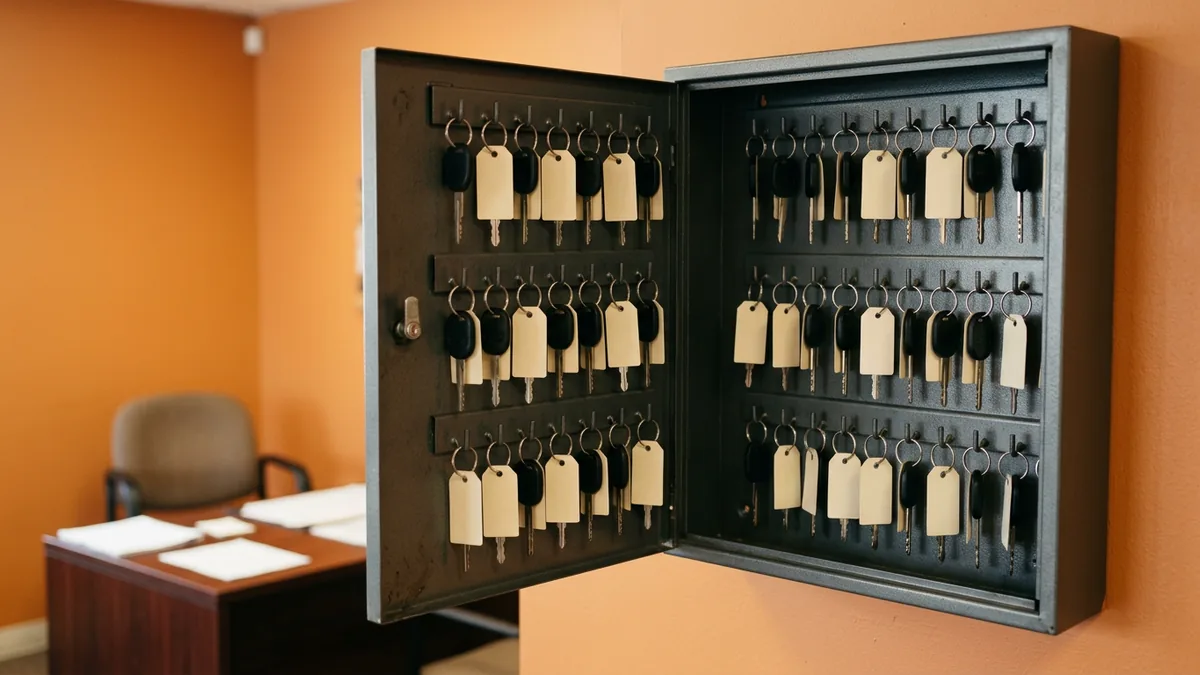
Think about the key cabinet in your sales office. The manufacturer ships it with every drawer and every code slot you’ll ever need. Nobody would call the lot secure the day the cabinet gets bolted to the wall, though, because until someone sets the codes and decides who carries which key, it’s an expensive box that’s wide open. Business Premium arrives the same way.
The gaps that tend to hide in a dealership tenant look like this.
- Multifactor turned on for “most” users, with the shared service drive inbox and two former employees left out.
- Conditional Access licensed and never set up. Zero rules. None.
- Defender for Business paid for on every seat, but only installed on the computers somebody remembered to enroll. The loaner-desk PC isn’t one of them.
- Labels and data loss prevention never started, because nobody had a free afternoon to decide what “confidential” means at a car dealership.
- A global admin account belonging to an outside vendor the store stopped using two years ago.
None of that is anyone being careless, because in a busy store IT is usually one more hat somebody wears between month-end close, a DMS update and whatever broke on the service drive that morning. My dad was the service manager where I worked through college. Ex-Navy, no shortcuts. He held me to a higher standard than anyone else on his team. Your security settings deserve that standard. Workarounds need to be left in the past.
Paid for isn’t set up. Different line items.
What Is Still Missing, Even When It’s All Configured
Say your store has everything in that table switched on and tuned perfectly. Great. Truly. Here’s what still isn’t covered, because it was never in the license to begin with.
Somebody watching at 2 a.m. Defender raises alerts, and it can clean up some threats on its own. It doesn’t call anyone. Ever. If an attacker signs into the controller’s mailbox on a Saturday night, the alert sits in a portal queue until a person opens it, and in most dealerships that person is off until Monday. Around-the-clock monitoring by real analysts is a separate service.
Backup is the one that surprises people most. Microsoft 365 keeps deleted items for a while and has retention settings, but retention isn’t a point-in-time backup you control. Microsoft sells Microsoft 365 Backup as its own product, billed per gigabyte, and it’s not part of Business Premium. If ransomware encrypts the OneDrive folder where accounting keeps the floor plan reconciliations, you want a copy that lives somewhere the attacker can’t reach. We wrote more on that in whether you’re properly backing up Microsoft 365.
Then there’s the response itself. A written incident response plan, who calls the bank, who talks to the OEM, who tells the sales floor what they can and can’t do while the investigation runs. No license writes that for you. Not one.
Phishing practice is a smaller gap but a real one. The simulated phishing tool in Microsoft’s stack, Attack simulation training, needs Defender for Office 365 Plan 2 or Microsoft 365 E5. Business Premium includes Plan 1. Close, but no. Hands-on experience and repetition is how people actually learn, so a store that wants practice runs needs either the add-on or another way to do it.
Testing from the outside is missing as well. Defender for Business will flag missing patches on enrolled computers, which helps. It isn’t the annual penetration test and twice-yearly vulnerability assessment the FTC describes. And the DMS, your phone system and the cameras on the lot aren’t Microsoft 365 at all, so none of these tools see them.
The license protects Microsoft 365. Your customer data lives in a lot more places than that.

How Business Premium Lines Up With the FTC Safeguards Rule
Picture a controller with a vendor slide open that says Business Premium “helps you meet” the Safeguards Rule. She wants to know if she can check that box and get back to month-end. Fair question. The honest way to answer it is to lay the FTC’s own guide to the Safeguards Rule next to the license and go line by line, roughly like this.
| Safeguards element | Business Premium helps, once configured | Still has to come from somewhere else |
|---|---|---|
| Multifactor authentication | Yes, for Microsoft 365 sign-ins | MFA on the DMS, VPN and every other system with customer data |
| Access controls | Yes, groups, Conditional Access and admin roles | Someone reviewing who has access on a schedule and removing people who left |
| Encryption | Partly, with BitLocker through Intune and Purview email encryption | Encryption on servers, backups and anything outside Microsoft 365 |
| Monitoring authorized users | Logs and alerts are generated | A person who reads them and acts |
| Testing (continuous monitoring, or annual pen test plus vulnerability assessments every six months) | Endpoint vulnerability findings on enrolled computers | A human-led penetration test and scheduled assessments |
| Staff training | Not really (simulations need Plan 2) | Security awareness training with regular refreshers |
| Incident response plan | No | A written plan, roles and a team that executes it |
| Qualified Individual and annual board report | No | A named person who owns the program and reports on it in writing |
The right-hand column is where it gets quiet. It usually does.
Almost everything over there is people work, things like a named owner, a schedule, a written plan and somebody actually reading what the tools report, so if you want to score your own store against it, our FTC Safeguards Rule checklist for dealerships goes element by element.
And I’ll be straight with you, I don’t think the rule is the scary part. The scary part is accounting locked out of email on the last day of the month with deals waiting to fund. That stops a store cold.
Nobody does compliance with a license alone.

What We Hear When We Bring This Up
“Our IT guy already set it up.” Maybe he did, and he probably did a lot of it well. Ask him for the Conditional Access rule list and the count of enrolled devices versus licensed users. If those two numbers match and the rule list isn’t empty, buy him lunch.
“Microsoft is huge, they’re watching it.” Microsoft watches its own data centers. Not your tenant. Your tenant, your admin accounts and the alerts about your users are yours to read.
“So we wasted money on Premium?” No. It’s the right foundation, and it’s what we’d tell most single stores and small groups to be on. It just needs a team behind it, whether that’s your own IT person with backup from us through co-managed IT or a fully managed setup.
Across the 2,000-plus dealerships we support, the stores in the best shape aren’t the ones with the most expensive license. They’re the ones where somebody owns it. When something looks wrong, our average time to reach a live support agent is 82 seconds, and that speed only matters because there’s a person on the other end who knows the store.
What Managers Ask Us About Business Premium
Does Business Premium count as an FTC Safeguards program by itself?
We have 340 employees across four stores. Can we all be on Business Premium?
If ransomware hits OneDrive, can’t Microsoft just restore it?
Honestly, what’s the first setting to check this week?
Is Defender for Business the same as having a security team?
A License Is a Starting Line
Business Premium gives a dealership a strong set of tools for $22 a seat, and I’d rather see a store on it than off it. What it doesn’t give you is the person who sets it up for success, reads the alerts, keeps the backups and runs the plan when something goes wrong. That’s the real work, and it’s where efficiency in a store’s security actually comes from.
If you’d like to know which of those boxes your store has filled and which are still empty, start with our complimentary IT and cybersecurity assessment. If you’re worried somebody may already be inside your tenant, our Microsoft 365 breach assessment looks for exactly that.
Buy the license. Then give it an owner.