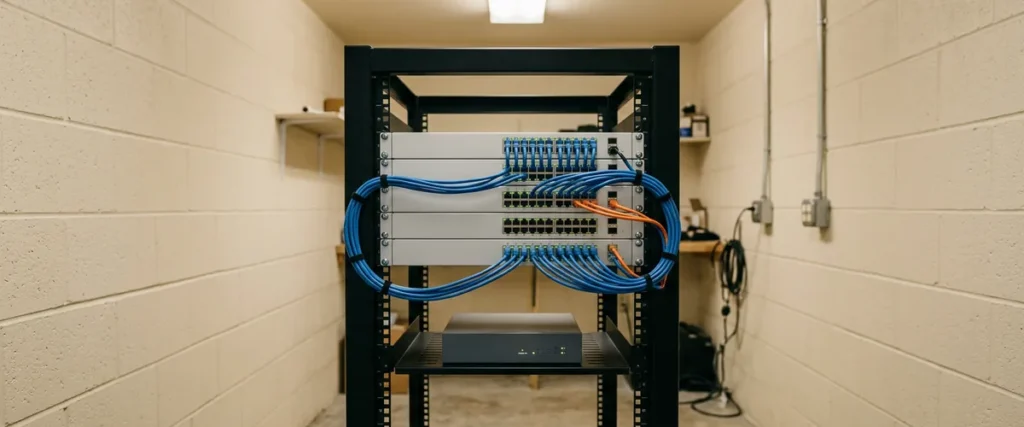

End-of-life hardware is equipment its manufacturer no longer supports, so it stops getting security patches and firmware fixes. At a dealership, that can be a switch, firewall or access point that still runs every day after its maker’s support date has passed.
Last updated: November 25, 2026
Erik Nachbahr, our founder, said it plainly on a November 4 planning call: “Dealers want to run end of life hardware that’s no longer getting updated from the manufacturer.” The example he gave was a network equipment maker. Not a PC brand.
Network gear hides well. It’s the switch on a shelf in the parts room, the firewall in the closet behind the service drive, the access point over the shop. It comes on every morning. The lights blink. A switch that works doesn’t generate help desk calls, so nothing prompts anyone to look up its support date.
Looking it up is part of how we run managed IT services for dealerships. We have 2,000-plus dealerships under management. Here’s what end of life means for network equipment, how to find it in every store, what it does to your Safeguards program and your insurance answers, and how to budget for it before anything fails.

What Does End of Life Mean for Network Hardware?
For network hardware, end of life means the manufacturer has stopped selling a model and, after a support period it sets, stops releasing firmware updates and security patches for it. The switch or firewall keeps passing traffic. What ends is the maker’s work on it, including fixes for flaws that get found later.
The FBI’s version comes from a May 2025 alert about criminals taking over old routers: “When a hardware device is end of life, the manufacturer no longer sells the product and is not actively supporting the hardware, which also means they are no longer releasing software updates or security patches for the device.” CISA’s definition goes further. It covers hardware, firmware and software versions that no longer get “timely, supported updates” from the manufacturer, “including patches for CVEs, security updates, software fixes (hotfixes), and defects.” A CVE is an entry in the CVE Program’s public catalog of disclosed security flaws. The insurance broker Marsh, in a 2022 guide to cyber controls, notes that known vulnerabilities “are openly discussed on forums, and hackers are able to scan easily for EOL systems that continue to be in use.”
Makers publish these dates for their own models. The names differ. Look for some version of these on the notice:
- End of sale. The last day to buy that model new. Support usually continues for a period the maker sets, so treat it as the warning.
- A date when software and security updates stop, which some makers set apart from the final support date. After it, a newly found flaw in that model is left unpatched.
- The last date of support, when the maker’s help ends entirely.
- Warranty end? Different thing. That’s your purchase, not the model’s lifecycle, and a firewall can be out of warranty while its maker still patches it.
End of sale is the warning. End of support is the deadline.
Why Is Unsupported Network Gear a Bigger Risk Than It Looks?
A PC on its way out complains. Logins drag. A printer driver quits. The help desk gets tickets. A firewall past its support date does none of that, and it runs the same the day after that date as the day before. Only the fixes stop.
Location matters more. The firewall faces the internet by design, and the switches and access points behind it carry the store’s DMS sessions and email. CISA calls equipment on that boundary edge devices, and in Binding Operational Directive 26-02 it says they’re “attractive targets due to their extensive reach into an organization’s network and integrations with identity management systems.” A February 2026 fact sheet from CISA, the FBI and the UK’s National Cyber Security Centre says nation-state attackers use unsupported edge devices “as entry points to access modern, supported environments.” So an old box at the edge can open the way to the newer systems behind it.
Criminals use old gear too. The FBI’s alert described end-of-life routers “with remote administration turned on” being taken over by a new variant of TheMoon malware and turned into proxies that hide criminals’ traffic. The warning signs it lists are mundane: overheating, connection problems and settings the administrator doesn’t recognize. Easy to miss.
It isn’t only network closets. The supermarket refrigeration controllers in my post on securing building systems on the dealership network were mostly older models their maker had stopped updating. Same pattern. Different box. As a CISSP, I read an end-of-support notice as a security date first and a purchasing date second. There’s a day-to-day cost as well, since the fact sheet says unsupported devices “may also cause compatibility issues that disrupt productivity.”
Working isn’t the same as supported.

What Did CISA’s February 2026 Directive Require, and Does It Apply to Dealers?
On February 5, 2026, CISA issued Binding Operational Directive 26-02. It orders federal civilian agencies to find and remove end-of-support edge devices, and its definition names “firewalls, routers, switches, wireless access points” among others. It binds agencies, “not contractors.” Dealers aren’t covered at all. The directive is aimed at the edge, but it also says end-of-support devices “should not reside anywhere on federal networks,” which is why the dealership version below covers the switches and access points inside the store too. The timeline is still useful, so here it is next to a dealership version.
| When | What agencies must do | What a dealer can borrow from it |
|---|---|---|
| Right away | Update any supported edge device still running unsupported software, firmware included | Check the firmware version, not just the model |
| 3 months | Inventory the devices on CISA’s end-of-support edge device list | Make the list, store by store |
| 12 months | Remove listed devices whose support ends by the 12-month mark, and inventory everything that will reach end of support within the following 12 months | Look a year ahead and budget whatever comes due inside that window |
| 18 months | Remove all identified end-of-support edge devices | Set a date for the last unsupported box to come out |
| 24 months | Keep discovering edge devices continuously, and remove each one on or before its end-of-support date | Make replacement routine, before the date and not after it |
The fact sheet published that day speaks to everyone else: “Although the BOD 26-02 requirement only applies to FCEB agencies, CISA, FBI, and NCSC strongly encourage organizations to follow the guidance in the BOD and this fact sheet.” Among its advice: keep “an inventory of all edge devices and their respective support timelines.” Review it regularly. Replace unsupported devices promptly, because “as these devices age, managing their risks becomes increasingly challenging and costly.”
The deadline is theirs. The habit works for anybody.
How Do You Find End-of-Life Hardware in Your Stores?
Walk every store and write down the maker, model and firmware version of every piece of network gear. Then check each model against its maker’s own end-of-life notice and put the dates on one register with the store and location. Review it on a schedule, because new notices keep coming out.
- Start with the closets you know about, at every rooftop. Then find the ones you don’t, like the detail building or the used car office across the lot.
- Record the maker, model number, serial number and location. A phone photo of the label saves a second trip.
- Read the firmware version off the device too. CISA’s directive tells agencies to update supported devices still running unsupported software, so a current model can be on code its maker no longer patches.
- Look each model up on the maker’s own website. Not a reseller’s spreadsheet.
- Scan the network for what the walk missed. The fact sheet’s first step is to “actively scan networks for undocumented and outdated edge devices.”
- Who owns each box? Write a name next to it, because ownership is what gets a box patched and, eventually, replaced.
- Review the register on a calendar, and again whenever a store opens, moves or changes hands.
The scan matters, because the fact sheet’s word is “undocumented”: gear somebody plugged in that never made it onto a list. Our IT asset inventory template puts the maker’s end-of-support date next to the warranty date. They’re different dates. For clients, we put each unit’s end-of-sale and end-of-support dates on the register as the maker publishes them, the way our IT asset management page describes.
You can’t budget for a box nobody wrote down.

What Does Unsupported Gear Mean for Your Safeguards Program and Cyber Insurance?
Section 314.4 of the FTC Safeguards Rule never mentions end-of-life equipment. The rule still reaches it. Section 314.4(c)(2) tells a covered dealership to “identify and manage the data, personnel, devices, systems, and facilities” it relies on, and a register with support dates is a plain way to show that. The written risk assessment in 314.4(b) has to describe how identified risks “will be mitigated or accepted.” So if an unsupported firewall is an identified risk, the written assessment should say which it is. Replace it by a date, or accept the risk for now and say what’s protecting it. Then there are the vulnerability assessments. Unless a dealership runs effective continuous monitoring, 314.4(d)(2) calls for them at least every six months, and they look for “publicly known security vulnerabilities.” On a box its maker no longer patches, the same finding can come back every time. There’s no update to apply. The FTC Safeguards checklist covers the rest of the rule, and our page on penetration testing and vulnerability scanning covers the testing.
Cyber insurance asks about the same equipment. In that guide’s list of 12 key cyber controls, Marsh includes “replacement or protection of end-of-life (EOL) systems” and says insurers are “asking more questions than ever before about an applicant’s cyber operating environment and risk controls.” Its advice is blunt: “The only fully effective way to mitigate this risk is to stop using the obsolete product and replace or upgrade it with a newer solution that continues to provide support.” Our cyber insurance requirements checklist turns that control into a question you’ll likely see in some form: does anything still run on hardware or software its maker no longer supports?
Answer it from the register. Not from memory. After a claim, a carrier can check the application against what’s on the network, and a “no” with two unsupported switches still in the shop can be the expensive kind of wrong. A “yes” with the model, the store and a replacement date is the accurate answer.
Write it down first.

How Should a Dealer Group Budget the Replacements?
Erik describes what our clients get this way: “We have their entire asset inventory, and we give them an annual plan that we update throughout the year that gives them a five year budget and a projection. So rather than being reactive, they can plan out their technology spend and have it be part of a roadmap and a plan.”
Network gear is one of the easier parts of that plan to put dates on, because the makers publish them. Our dealership IT budget template gives every piece of network equipment its own line and budgets it a year before its end-of-support date. Why a year? It gives the CFO room to move a purchase when several land in one quarter, and it leaves time to schedule the swap for a quiet window instead of an emergency.
Federal policy agrees, in heavier language. The directive cites OMB Circular A-130, which requires that “planning and budgeting activities for all IT systems and services incorporate migration planning and resourcing” so unsupported components get phased out. Same idea. More forms.
| Equipment | Where the date comes from | When it goes in the budget |
|---|---|---|
| Firewalls | The maker’s end-of-support date for the model | The year before that date, both units if the store runs a matching pair |
| Switches | The maker’s notice, plus the firmware each one runs | The year before support ends |
| Office and showroom access points | The maker’s notice | The year before support ends |
| Shop access points | The maker’s notice, and how the bays are performing | Sooner, if worn-out units are slowing downloads in the bays |
| Backup internet equipment | The maker’s notice | The year before support ends |
For a group, standardizing does the most good. When every store runs the same models, they reach end of support on the same schedule. One plan covers them all. The CFO sees it coming, whether the stores get done together or one after another. That’s what I mean by simpler, more secure, and easier to support. Our dealership network management runs on one standard build at every rooftop.
Some years a box can’t come out on schedule. Then what? Marsh says that where replacement is impossible, end-of-life systems “will need to be protected by compensating controls, such as restricting access to those systems, ensuring they are not internet facing.” The fact sheet adds running the latest supported software version until the replacement happens. For old routers, the FBI lists turning off remote management, but its first precaution is to replace the device “if possible.” A firewall faces the internet by design. Keep its stopgap short. Record whatever you choose in the risk assessment, with an end date.
For our clients, the replacement goes into the five-year budget ahead of time, as our page on managed firewall services describes. Their Client Technology Manager goes over what’s coming due with the dealer principal and the CFO at the annual review.
Once the maker sets the date, the budget just has to know it.

What Controllers and GMs Ask About Old Network Gear
The switch works fine. Why would we pay to replace it?
End of sale or end of support: which date goes in the budget?
Can we keep an old firewall running if we turn off remote management?
Does the Safeguards Rule actually say we have to replace it?
Where do we look up a model’s end-of-support date?
Read the Model Numbers Before the Next Budget Meeting
Every box in your closets will reach end of support. For many models the date is already published. Our complimentary IT and cybersecurity assessment looks at what’s running in your stores and what’s outdated, checks whether tools like firewalls are actually configured correctly, and puts the findings in writing. That’s a solid start on the network lines of a five-year plan.
Once the date is published, put it in the budget before it arrives.