

A Safeguards Rule board report is the written update a dealership’s Qualified Individual gives its board of directors or equivalent governing body at least once a year on the security program’s overall status and the material matters behind it.
Last updated: November 6, 2026
That’s 16 CFR 314.4(i) in one sentence. I’ll give you the rule’s exact words further down, along with a template you can copy, but first I want to talk about what kind of report you’re writing, because the rule leaves room for two very different ones and only one of them is worth a dealer principal’s time.
Picture one kind as a parts list. Firewall, MFA, encryption, endpoint protection, training, all “in place,” page after page. Put it at the end of a long Tuesday meeting, after floor plan and service absorption, and it gets a “looks good,” and that’s the security program’s whole year in front of the owner.
The other kind says what the testing turned up. Which findings got closed, on what date. Which two are still open, and whose name is next to them.
I’d take the second one every time. Helion delivers this report for the dealers whose compliance we run. As I put it on one of our planning calls, “When we’re doing their compliance, we deliver that annual report to their board.” A list of controls tells an owner the store bought things, while a record of findings tells them whether those things are working.
The FTC Safeguards Rule is still in force. Its requirements haven’t changed since the breach-reporting amendment took effect in May 2024, and the FTC has since published Safeguards Rule FAQs written for auto dealers. The board report is simply the place where the difference between checkbox compliance and a program that somebody actually runs gets written down and signed. This post is the reporting piece of our dealership cybersecurity services, so if you haven’t checked your store against all nine elements yet, the FTC Safeguards Rule checklist for dealerships is a better first stop. I’m going to assume the program exists.

What Does the Safeguards Rule Require in the Board Report?
Section 314.4(i) requires your Qualified Individual to report in writing, regularly and at least annually, to your board of directors or equivalent governing body. The report has to cover two things: the overall status of the program and your compliance with the rule, and the material matters related to the program.
That second item is where the substance lives. Here’s the rule’s own wording, from 16 CFR 314.4: “Material matters related to the information security program, addressing issues such as risk assessment, risk management and control decisions, service provider arrangements, results of testing, security events or violations and management’s responses thereto, and recommendations for changes in the information security program.”
Read the list again. Test results. Security events and how management responded. Vendor arrangements. Decisions. Recommendations. Most of those topics are things that happened or got decided during the year.
The FTC’s plain-English guide, “FTC Safeguards Rule: What Your Business Needs to Know”, says the same thing in shorter words. The report “must include an overall assessment of your company’s compliance with its information security program,” and then it covers the specific topics.
The rule is asking for a record. Not a brochure.
Who Writes It, and Who Reads It?
The Qualified Individual writes it. Under 314.4(a) that person “may be employed by you, an affiliate, or a service provider,” and if you go the outside route, the rule says you shall “retain responsibility for compliance with this part,” “designate a senior member of your personnel responsible for direction and oversight of the Qualified Individual,” and require the provider to keep a security program that protects you.
Translation: your IT company can hold the title. Somebody at the store still owns it, whether that’s your controller, your GM, or you.

Readers vary. A group with a real board gets it in the boardroom, CFO there, coffee going cold. The rule doesn’t define “equivalent governing body,” so if your store is closely held with no formal board, ask your attorney whether the owners count. No board or equivalent at all? Then the rule says the report “shall be timely presented to a senior officer responsible for your information security program.”
Pick one. Write the name on the cover. Same name next year.
Does Every Dealership Need a Board Report?
No. The FTC’s auto dealer FAQ says the rule covers “most automobile dealers who finance or lease automobiles,” and among those, only dealers under a 5,000-consumer line are excused from the board report. Section 314.6 exempts financial institutions that hold customer information on fewer than 5,000 consumers from four requirements, and the board report is one of them. The other three are the written risk assessment, the testing requirement in 314.4(d)(2), and the written incident response plan.
Count consumers, not this year’s deliveries. The rule defines a consumer as someone who “obtains or has obtained a financial product or service from you,” and a credit applicant counts “regardless of whether the credit is extended.” Past finance and lease customers whose records you still hold count too. A cash buyer who arranges financing elsewhere never obtains a financial product from you, and the FTC’s dealer FAQ lists service and maintenance records as information that isn’t customer information. In my experience, apart from very small used car lots, dealers are over that line, and our post on GLBA vs the FTC Safeguards Rule goes through the 5,000 line in more detail.
Under it? Section 314.6 doesn’t require the report, though a short written one is still a reasonable habit.
Checkbox Report or Program Report: What’s the Difference?
Same made-up store, written up twice, with brackets where your own numbers go. The middle column is what you get when somebody fills in the template from the controls list. The right column is what you get when they read “results of testing, security events or violations and management’s responses thereto” as a to-do list.
| Topic | Checkbox version | Program version |
|---|---|---|
| Overall status | “We are compliant.” | “In place on [X] of 9 elements. Vendor reviews are behind; plan in section 9.” |
| Risk assessment | “Risk assessment completed.” | “Updated in [month] after [the new rooftop / the DMS move]. [X] new risks added.” |
| Testing | “Annual penetration test performed.” | “[Month] pen test: [X] findings, [X] high. [X] closed. [X] open, each with an owner and a date.” |
| Service providers | “Vendor management policy in place.” | “[X] vendors can reach customer information. [X] reviewed this year. [X] contracts updated.” |
| Security events | “No breaches.” | “[X] phishing reports investigated, [X] lost devices, [X] notification events.” |
| Recommendations | (blank) | “[Change], about [cost], by [date], owned by [name].” |
The middle column gives an owner nothing to decide. The right one gives them owners, dates, and open items to act on.
The Board Report Template: What Goes in Each Section
A dealer’s Safeguards Rule board report needs a cover page, an overall status, and a section for each material matter the rule names: the risk assessment, control decisions, service providers, testing results, security events and recommendations. Add training and a sign-off page, and you have the whole report in nine sections.

- Cover and scope. Period, entity, rooftops, the Qualified Individual, who it’s going to, the date it was presented.
- Overall status. The rule calls it “the overall status of the information security program and your compliance with this part.” One paragraph. Say it like you’d say it to the owner.
- Risk assessment. Last updated when? What changed since? New rooftop, DMS move, a new F&I menu tool, the remodel that put the server closet next to the wash bay. Our Safeguards Rule risk assessment template is built for that update.
- Control decisions, including the risks leadership decided to live with. Whoever accepted each one gets their name and the date next to it, so it’s on record who made the call.
- Every vendor that can reach customer information, which at a dealership can include the DMS and CRM, the credit app, the lender portals, that chat widget on the website, and your IT provider, and then which of them you actually looked at this year.
- Testing results, with dates and who ran them, findings by severity, and what’s closed versus still open.
- Security events and “management’s responses thereto,” whether that’s a phishing email that got through or a sales manager’s laptop left in a booth at a steakhouse, plus a yes or no on the FTC’s 500-consumer notification trigger.
- Training by department. The rule doesn’t list it for the report, but somebody’s going to ask.
- Recommendations, each with a rough cost, an owner, and a date, and then a signature from the Qualified Individual. A line in the minutes saying the board received it isn’t a rule requirement, but it’s a good habit.
Copy this outline into your own document.
| Section | What to fill in |
|---|---|
| 1. Cover | Period from / to. Entity and rooftops. Qualified Individual (name, employer). Senior person at the store who oversees the Qualified Individual. Presented to (board, owners, or senior officer) and the date. |
| 2. Overall status | One paragraph. Elements in place, out of 9. Compliance with 16 CFR Part 314: yes, or not yet and why. |
| 3. Risk assessment | Date last updated. What changed since (rooftops, systems, vendors, people). New or re-rated risks. |
| 4. Control decisions | Controls added or changed. Risks accepted, who accepted each one, and the date. |
| 5. Service providers | Count of vendors with access to customer information. Which were reviewed this year. Findings and contract changes. |
| 6. Testing | Continuous monitoring and pen test (dates, who ran them). Vulnerability scan dates. Findings by severity. Closed, with dates. Open, with owner and target date. |
| 7. Security events | Incidents, phishing reports, lost devices. What management did. FTC notification events: none, or the date filed. |
| 8. Training | Completion by department. Phishing simulation results, if run. |
| 9. Recommendations and sign-off | Each change with cost, owner, and date. Qualified Individual signature and date. Date the receipt was noted in the minutes. |
Empty section? That’s a finding. Leave it in.
What Should the Testing Section Show?
The rule’s testing language in 314.4(d)(2) is “continuous monitoring or periodic penetration testing and vulnerability assessments,” and absent effective continuous monitoring it wants “annual penetration testing” and vulnerability assessments “at least every six months,” plus whenever there are “material changes to your operations or business arrangements.” We recommend doing both, monitoring and penetration testing, because they’re very different products and processes. The report should show the dates, what came back, and what happened to every finding afterward, since a date alone only proves somebody booked a test. In the compliance programs we run, that’s an annual penetration test done by people, not an automated scan with a pen test label on it, vulnerability monitoring twice a year in between, a scan of the store’s own PCs and servers for customer data and outdated operating systems, and a risk rating for every vendor connected to the dealership’s systems. Our penetration testing and vulnerability scanning page goes deeper.
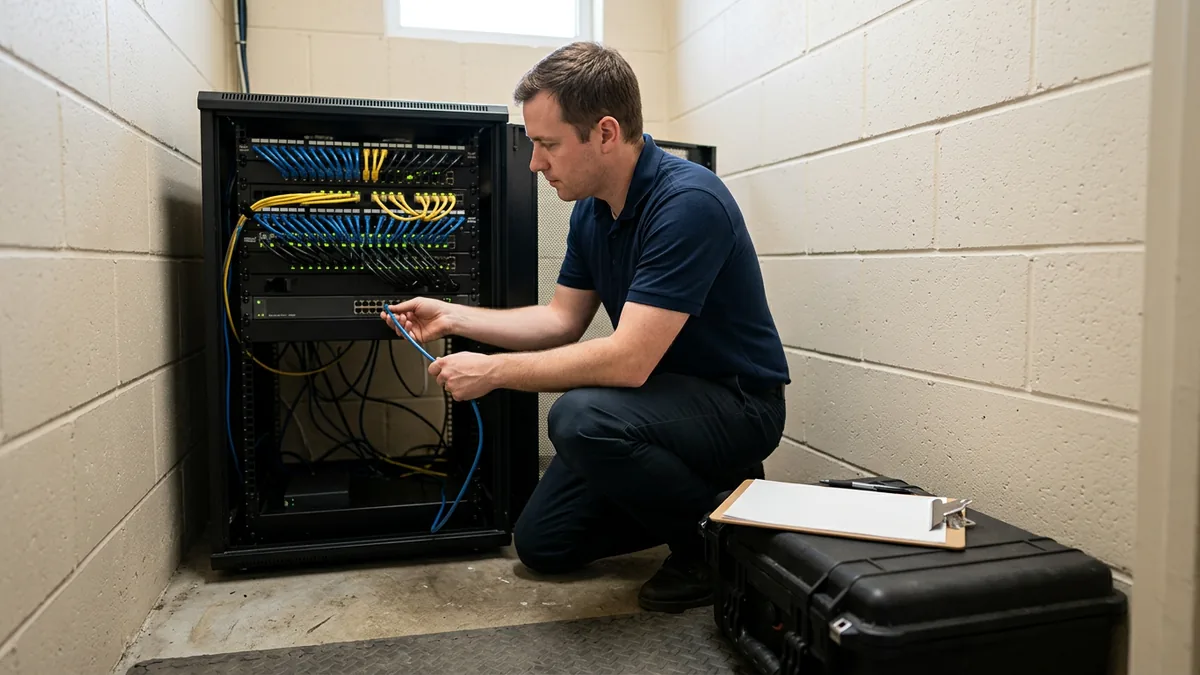
Here’s what a good line looks like. We’ve published one pen test finding on our dealership compliance page. A Windows server was running an old, forgotten web service with administrator access wide open. It turned out to be a homegrown CRM nobody had used in years, and the login was admin and admin. It was shut down that same week.
In a board report, that’s three short lines. Found. What it was. Fixed, with the date.
That’s a line an owner can act on. “Penetration test performed” isn’t.
When Should the Report Happen?
The rule’s wording is “regularly and at least annually.” It doesn’t name a month or a quarter.
I’d hang it on the pen test. When the results come back, give it a few weeks for the first fixes to get going and then book the board report, and keep that slot every year after.
Something big in between? A security incident, a buy-sell, a DMS conversion. Send the same reader a short note when it happens instead of saving it all for next year.
Boring works.
Where Do Board Reports Go Wrong?
Board reports go wrong when they’re written from memory the week before the meeting, list only what the store owns, or leave open findings without an owner. The fix is a running log through the year, a vendor list that goes past the IT provider, and a named person at the store who reads it.
- Written the week before the meeting, from memory.
- Controls only. It’s a list of what the store bought.
- The vendor section stops at the IT provider, even though the DMS, CRM, and credit app vendors can have access to customer information too.
- “Open” with no owner and no date. That isn’t a status.
- Who at the store actually reads it? If your Qualified Individual is an outside provider, 314.4(a) asks you to name a senior person to oversee them. Put that name on the cover.
- Emailed as a PDF and never discussed. The rule says “in writing.” It doesn’t say “and then filed.”
- Last year’s report with the date changed.
A report that never changes is describing a store that doesn’t exist anymore.
What Owners Ask Before the First Report
We’re a family-owned store with no board. Who gets the report?
Can our IT provider write it for us?
Does the report get sent to the FTC?
How long should it be?
Dealer group with five rooftops: one report or five?
What if the report shows problems?
Report What Happened, Not What You Bought
Once a year the rule makes the security program explain itself, in writing, to the people who own the store. Use it. Findings, fixes, and dates give an owner peace of mind a product list can’t, and next year’s technology decisions get smarter because the numbers are on the page.
We manage the technology so dealers can focus on sales and service, and for the 2,000-plus dealerships we support, keeping the compliance side honest is part of that same job. If you’d like an outside read before your next report, start with our complimentary IT and cybersecurity assessment, which reviews your technology setup, security posture, vendor spend, and where you stand against the FTC Safeguards Rule, with the findings delivered in a written report.
That makes a pretty good first page for the board.