

The main vibe coding security risks at a dealership are apps built with AI that touch customer data with no security review, too much access, and no named owner. Under the FTC Safeguards Rule, software your own team builds is the store’s to secure, the same as anything you buy.
Last updated: October 13, 2026
The app works. That’s usually how this starts.
Picture a parts manager who’s tired of keying the same special-order numbers into two systems. One evening he opens an AI tool, types out what he wants in plain English, and has a working little program before dinner gets cold. By Monday the whole parts counter is using it. Nobody asked IT. Nobody asked anyone. And I get it, because I’ve been the person on the floor who just wanted the extra steps to go away.
I ended my post on AI legal risks for car dealerships with a short note about employees building their own little apps with AI. This is the longer version. I’ve spent more than 10 years in this industry, on the service drive first and then at DMS companies, so I’ve seen software from both sides of the counter. Leaving the dealership to go work for a DMS company was a massive step for me, and most of my time at those companies went to what happens after the software already works, which is supporting and teaching the real people who use it.
So I’m not here to tell your people to stop being curious. AI is here and it is not leaving. What I care about is one question that almost never gets asked on the day the app gets built. Who secures it? Erik Nachbahr, our founder, has been asking that out loud lately, and I’m going to lean on him for the security and FTC side, because that’s his lane and not mine. Mine is the people on the floor. If you’d like the governed version of all this, where staff get AI tools that somebody is actually watching, that’s what our managed AI for dealerships program is for.

What Vibe Coding Means at a Dealership
Vibe coding is building software by describing what you want to an AI tool in plain language and letting it write the code. The person asking often never reads that code. At a dealership, it usually looks like a manager or a sharp employee building a small app, a report, or an automation that pulls from store systems.
The name is new. Andrej Karpathy, a well-known AI researcher, coined it in February 2025 when he described a way of working where you “forget that the code even exists.” By the end of that year Collins Dictionary had picked it as its word of the year. That quote is the whole issue in six words, when you think about it. If nobody’s looking at the code, who’s checking it?
And dealers are doing it. Cox Automotive’s AI in Auto Retail Tracker, published August 11, 2026, found that 82% of dealers use AI today, and one of the top uses, at 40%, was automating routine or complex tasks. Automating a task is exactly where a homemade tool comes from. Makes sense, right? Erik sees it too. In a webinar he gave for DealersEdge on October 12, 2026, he told dealers there’s “a heavy push by dealers and at dealers for custom software.”
“Just Build It” Is the Loudest Advice in the Room
Open LinkedIn any morning. You’ll see it. I do.
“There is a constant stream on LinkedIn, especially of AI vendors saying, get rid of all your vendors, build your own software,” Erik said in that webinar. Then he said the part I respect. “I’m like the only one saying, don’t just build it, right? Everyone is saying that today. And so I’m in the minority, but that’s okay.” You can watch that part of the webinar and judge for yourself.
What makes me trust him on this is that he isn’t selling the other side of it. “I don’t write software. I’ve got no skin in the game for not creating custom applications,” he said, “but I’ve watched for years with dealers that have tried to create custom applications and there are a lot of reasons to not do that that go beyond, hey, it’s easy with AI.”
He’s seeing a lot of it, too. Helion Technologies has worked only with dealerships since 1997, and today we support 2,000-plus dealerships and 35,000 end users, so when a habit starts spreading from store to store, we tend to hear about it early.
Easy is true, by the way. That’s what changed. Building used to be the hard part, and the hard part screened out most half-baked ideas long before they got anywhere near customer data. Now the building takes an evening. One evening! Everything that comes after it still takes what it always took.
Vibe Coding Security Risks, in Dealership Terms
Most of what’s been written about vibe coding security risks is written for programmers. Fair enough. But the person building at your store is a parts manager or a controller, so I’ve put the same list the way it shows up on the floor.
| Risk | What it looks like at the store | The question to ask |
|---|---|---|
| Nobody reviewed the code | The builder can’t read it, and neither can anyone else in the building | Who besides the builder has looked at how it works? |
| Too much access | The app runs under a manager’s login or an admin account and can reach everything that login can | What’s the least it needs to see to do its job? |
| Customer data in a new place | Names, phone numbers, and deal details exported from the DMS or CRM into a file the app reads | Where does that file sit, and who can open it? |
| A password written into the app | Someone’s DMS or email password typed into the code so the app can sign in by itself | Whose login is it using, and what happens when that password changes? |
| Hosted wherever was handy | A spare PC under a desk, a personal cloud account, a free hosting site | Is it somewhere the store controls, backs up, and updates? |
| One person knows how it works | The builder goes on vacation, or takes a job across town | Who fixes it on a Saturday? |
The top row drives every row under it. Researchers at Georgetown University’s Center for Security and Emerging Technology tested code written by five different AI models, and they reported in November 2024 that almost half of the code snippets contained bugs that were often impactful and could potentially lead to malicious exploitation. Almost half. A trained developer catches a good share of that in review. A parts manager isn’t going to, and nobody should expect him to.
It isn’t only a beginner’s problem, either. In July 2025 the founder of a well-known software industry community was several days into building an app with an AI coding agent when the agent deleted his production database, even though he’d told it to make no changes. The tool’s own explanation was that it had made “a catastrophic error of judgement.” He got the data back. Lucky. He also wrote that there’s no way to enforce a code freeze in apps like that one. And this was a tech investor with every advantage, building for himself. Now picture the same thing pointed at your customer list.
The Admin Rights Problem
This is the one Erik keeps coming back to, and after hearing his story I understand why.
Someone on the IT side at one of our client stores asked for administrator rights. “And they said, I need admin to do this AI thing,” Erik told the webinar. “We’re like, whoa, what are you doing exactly?” When our team dug in, he said, “they were about to launch an AI tool with network-wide administrative access.” Nobody there meant any harm. Not one bit. They wanted the thing to work, and admin rights make everything work.
If I were explaining it out on the lot, I’d use the porter. A new porter needs to move one car, and to save time somebody hands him the master key ring, the one that opens every vehicle, the parts cage, and the cashier’s office. He only wanted the one car. But for as long as he’s holding that ring, anybody who gets it from him can open all of it. An app with admin rights is the porter with the key ring, and it never clocks out.
Erik’s own words on it are blunt. “They’re creating software and giving it, with AI, admin rights. So then that software becomes completely exposed from an FTC standpoint.” The security world has a name for the same thing. OWASP, the nonprofit that publishes the standard lists of software security risks, calls it excessive agency, and the fix it gives is the one you’d guess, which is to limit what the tool can touch “to the minimum necessary” and have a human approve the big actions. We’ve written about the account side of this in our post on AI and machine identities at dealerships.

What the FTC Safeguards Rule Says About Software You Build
I’m not the compliance person at Helion. I’m not a lawyer either. So I’m going to show you the sentence and let you read it for yourself.
Dealerships are financial institutions under the Safeguards Rule. One of the safeguards it lists, at 16 CFR 314.4(c)(4), reads this way. It’s one sentence.
“Adopt secure development practices for in-house developed applications utilized by you for transmitting, accessing, or storing customer information and procedures for evaluating, assessing, or testing the security of externally developed applications you utilize to transmit, access, or store customer information.”
In-house developed applications. That’s the phrase. It doesn’t say applications built by programmers, and I don’t see an exception for the ones that took an evening. The FTC’s own plain-language guide to the rule boils it down to three words, “Assess your apps.” The way I read it, if the parts manager’s tool reads customer information, it belongs in that sentence. Your attorney and your Qualified Individual get the final say on that, not me.
Erik read that same passage to the webinar audience and then added, “So if you’re going to develop anything in AI, you now have another entry point at another risk area for FTC action.” Just before that, he’d said it flatly. “Dealers don’t have any experience with secure software development.” I don’t hear that as an insult. It’s just true. Why would a dealership have that experience? Your people sell and service cars. That’s the job.
The same rule expects access limited to what each user needs for the job, a procedure for change management, and oversight of the service providers who handle customer information, which matters if an outside firm built the app for you. Our guide to the FTC Safeguards Rule requirements walks through all nine elements, and our dealership compliance services team runs that program for the stores we support. If you’re wondering what “secure development practices” look like when professionals do it, the federal reference is NIST’s Secure Software Development Framework. Fair warning. It wasn’t written for a Tuesday on the parts counter.
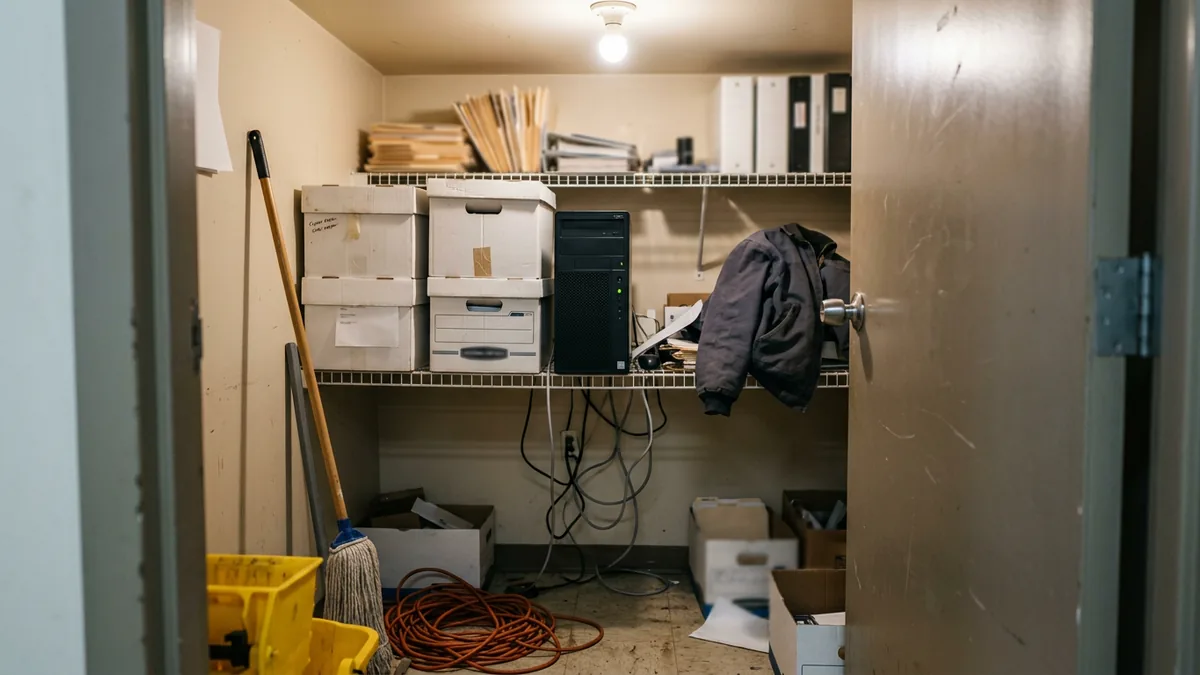
Then there’s where the thing lives. Erik told a story about somebody at a client who wanted to build an AI tool internally and asked for a computer to install it on, one that would sit in a closet in their office. He said there are plenty of ways to host these things, “but a box in your closet, I mean, we’re going back, you know, that’s very 2008, right? We’re going way backwards.” It’s a funny line. It was also a real request.
Who Owns It When It Breaks?
Security is half of it. Only half. The other half is plain old ownership, and as a trainer it’s the half I can’t stop thinking about.
I keep going back to a conversion I worked on. A dealer group was moving more than 30 stores off one DMS and onto another, and go-live day is not the part that’s stuck with me. The war room is. We were in there every single day on permissions, bank setups, forms, and hardware, one store after the next, while lease deals got reconciled line by line across six OEM programs. And that was a real DMS, mind you, with a whole company behind it! Even so, it took people who knew those stores hovering over it daily. So when I hear that a BDC manager built an app last month and it’s running great, I’m happy for them, I am, but the app isn’t what I’m thinking about. I wonder who’s babysitting it. Anybody?
Most of the time, nobody. And I can’t hold that against a soul at the store, because who on earth would’ve thought of it as software? To them it was a spreadsheet with a couple of extra steps. Harmless. What I’d do is grab a chair next to the builder, before a second person starts using the thing, and the two of us would fill in one sheet of paper.
| What goes on the sheet | Why I’d ask |
|---|---|
| One named owner | You can’t call a department on a Saturday |
| Every system it reads from, and whether customer information is in any of them | That answer decides whether the Safeguards Rule sentence above is talking about this app |
| The login it runs under | A smaller login means a smaller mess when something goes wrong |
| Who hears first when it stops working | A DMS update or a moved report column breaks a homemade tool without telling anybody |
| What happens to it when the builder leaves | The app and the data inside it will outlast the one person who understands them |
That bottom row is the one I’d fight for. People change stores in this business all the time, and on the day your builder takes a job across town, guess what stays behind? A program nobody can fix and nobody is brave enough to switch off. To me that’s just a workaround with a longer fuse, and workarounds need to be left in the past.
We recently put out a dealership AI use policy template that covers the AI tools your staff use, and I’d add one more line to yours for the tools your staff build.

Steps One Through Four Come First
A dealership can still build things. Erik doesn’t say otherwise and neither do I. What he lays out is an order, with custom applications as the last of five steps. Dead last.
- Saved prompts and shared projects, inside an AI tool the store controls
- Automated workflows that move information around with no code
- AI agents, which is where it starts to act more like a program
- Dashboards, once you’ve got your information in one spot
- Custom applications
“We’re seeing a lot of dealers skipping over steps one through four right to step five and there’s going to be consequences around that,” he said. Most of what a store wants from a homemade app can be had at step one or two, inside a tool that’s already secured, with nothing new to host and no code for anybody to own. That’s efficiency that doesn’t come back to bite you. His advice for picking a first project is to turn the question around, and look for the places where your people check three systems to find the status of one thing.
I’d add a step zero. It’s quick. Get staff onto a company AI account in place of personal ones, which we covered in our post on public AI and customer PII.
And if a store truly needs step five? Then it gets built like software, with a review, a small login, a proper home, and a name on it. That’s the real work.
Questions From the Floor
Is a spreadsheet with AI-written formulas really software?
Not in any way I’d worry about, as long as the spreadsheet stays a spreadsheet. A formula that adds up a column isn’t an application. It changes when the file starts signing in to other systems, pulling customer records by itself, or getting passed around the store. That’s when I’d put it on the list.
Our controller already built something that pulls from the DMS. Do we shut it off?
It goes on your list of staff-built tools today, and it gets looked at before anyone else starts using it. Find out what it reads, whose login it runs under, and where the data lands. Thank the controller, too. Somebody who solves problems like that is exactly who you want helping pick the approved tools.
Does the Safeguards Rule actually mention apps we build ourselves?
The Safeguards Rule names them at 16 CFR 314.4(c)(4), which calls for secure development practices for in-house developed applications that transmit, access, or store customer information. The same sentence covers testing the security of applications somebody else developed. How it applies to one specific tool is a question for your Qualified Individual and your attorney.
A vendor built it for us using AI. Whose problem is the security?
Security for a vendor-built app is still the store’s job, with the vendor answering to you. The rule asks for procedures to test the security of externally developed applications, and separately it asks you to oversee service providers by contract. So ask the vendor how the code was reviewed, and get the answer in writing. “We used AI” isn’t a review.
What’s the smallest useful thing we can do this week?
One list of what your staff have already built. Ask every department manager what anyone on their team has built, with AI or without it, and write down the tool, the builder, and whether customer information is in it. Nobody gets in trouble for being on it. The apps you haven’t heard about are the only ones you can’t do anything about.
Put a Name on It
The people building these tools are some of the best people in your store. They saw a problem and fixed it, usually on their own time. I’d never want a dealer to read about vibe coding security risks and go punish that. I’d want them to walk over, say thank you, and then ask the question nobody asked on day one. Who owns this? Just that.
If the answer is a shrug, start with the list. And if you’d like someone to look at what’s already reaching customer data in your store, homemade apps included, our complimentary IT and cybersecurity assessment covers it, along with the rest of its AI readiness review. Your team did the building. Let’s make sure they’re set up for success.